Hello,
On my Resources page https://longevitycolorado.com/resources/
I used a navigation inline element but it doesn’t see to condense correctly on the mobile - are there settings I need to use, or some custom coding to fix?
Thank you!
Hello,
On my Resources page https://longevitycolorado.com/resources/
I used a navigation inline element but it doesn’t see to condense correctly on the mobile - are there settings I need to use, or some custom coding to fix?
Thank you!
Hi There,
Thanks for writing in!
You can hide the navigation inline menu in the mobile device and use NAVIGATION COLLAPSED or Navigation drop-down for the mobile device.
Just create another NAVIGATION COLLAPSED using the same menu hide it in desktop view on customizing section.
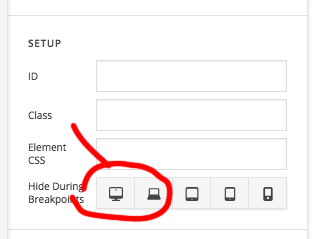
Similarly, you can hide the navigation inline in the mobile device.
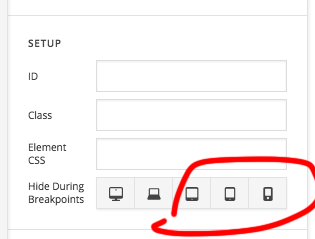
Hope this helps!
This topic was automatically closed 10 days after the last reply. New replies are no longer allowed.