Navigation Collapsed (collapse sub links when a new top link is selected)

I’m using a Navigation Collapsed element on a site here: www.chanceandcounters.com/newhome

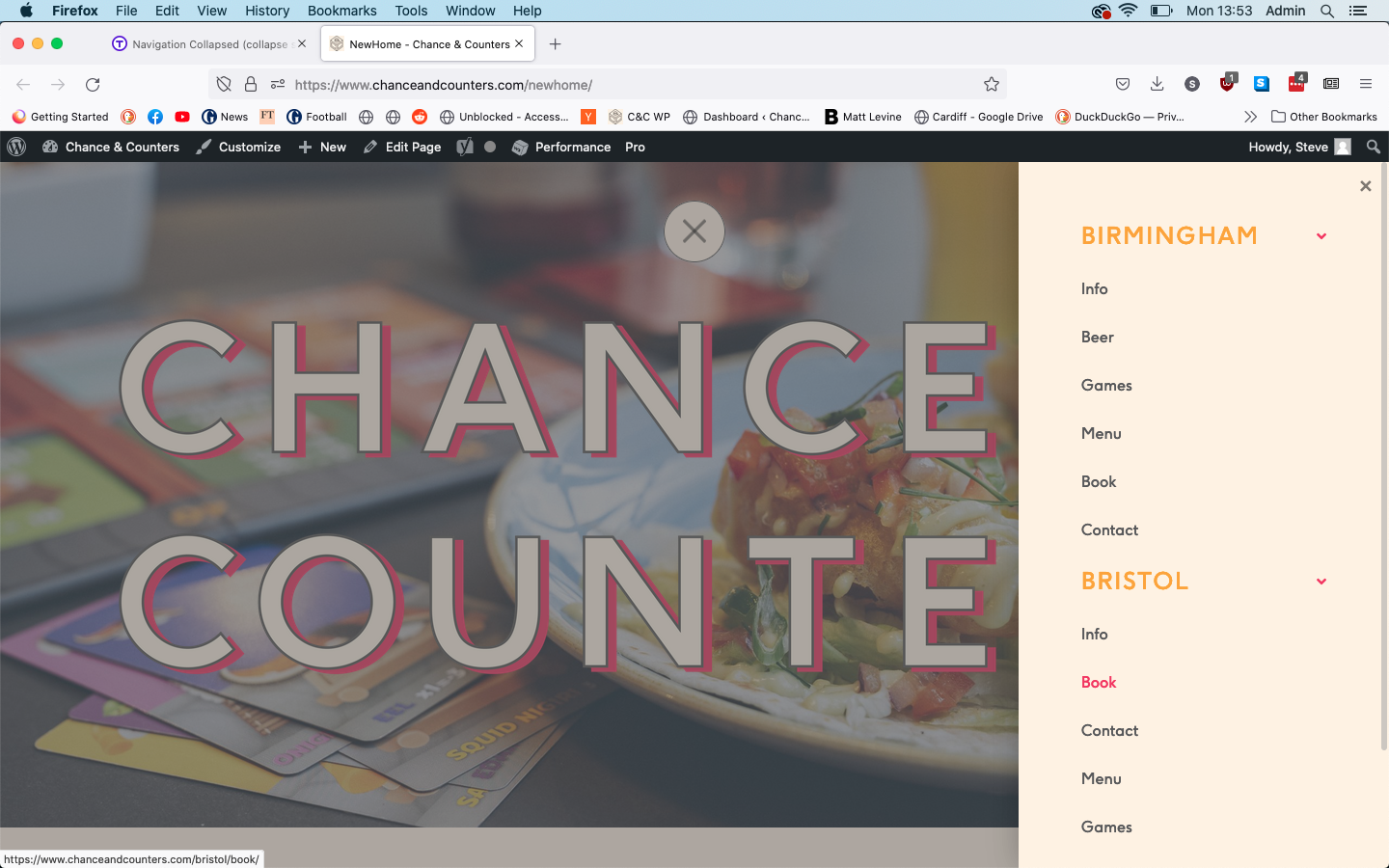
Everything looks and works as I want, except that if a user clicks a top link (expanding to show all its sub links), then clicks a different top link, the first top link stays fully expanded as well as the new one. I wondered if there was a way to ensure only one top link can be expanded at a time, e.g. the previous one would collapse automatically.

Any help would be hugely appreciated!

Steve
Hi Steve,

Thanks for reaching out.
I have checked your website but didn’t find the problem you described. Clicking on the Top link expands only the Sub Menu under it. Can you please provide any video that helps us to recognize the problem?

Thanks

Hi @tristup,

The menu works perfectly fine when you click one top link, what I’m hoping for is a way to automatically close the first sub menu when a second top link is clicked. Otherwise you can end up with a big stack of sub menus you have to scroll down through. Does that make sense?

So in this example: the user clicked Birmingham first (expanding its sub menu), then clicked Bristol (expanding its submenu). Ideally when the user clicked Bristol, the Birmingham sub menu would collapse, leaving just the Bristol sub menu expanded.

It’s more a UX thing than anything else, so if it needs a bunch of custom development it’s not the end of the world.

Thanks,
Steve

Hi Steve,

Thanks for explaining the issue. Unfortunately, there is no such option available for collapsing the other menu items, while clicking into another one. Still, I will check and add this into the Feature Request, so it might be taken into account in the future.

Thanks

This topic was automatically closed 10 days after the last reply. New replies are no longer allowed.