I have created a total of 8 pages but only 4 are showing in my navigation bar. How can I set it to show all the pages on my site?
Hi there,
Please check the page template used by the pages that do not show the navbar and make sure that templates that has Header and Footer are set to the page:

Hope this helps.
Hi Jade,
I have checked and all the pages are set to: Blank: No Container: Header, Footer
Do you know how else I could fix this?
Hi Jade,
I have checked and all the pages are set to: Blank: No Container: Header, Footer
Do you know how else I could fix this?
Hey Milka,
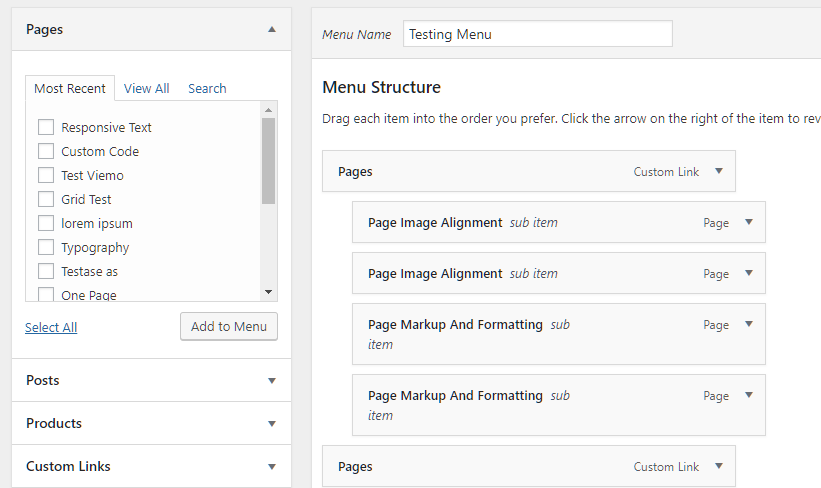
If I understand you correctly, you’re viewing the Appearance > Menus page and you can only see 4 are showing in the Menu Structure? Or, do you mean you’re only seeing 4 in the Most Recent tab in the Pages post type?
You might find the solution in the WordPress Menu User Guide. Here’s another helpful guide.
If that is not what you mean, please provide more specific details.
Thanks.
This topic was automatically closed 10 days after the last reply. New replies are no longer allowed.