could someone please check Navbar Letter Spacing (em) on the header section in customize. it’s not working on all my sites.
Hi There,
Thank you for writing in, first make sure that you have the latest version of the theme and Cornerstone (refer here for the latest compatible versions).
You can also try doing a testing for a plugin conflict. You can do this by deactivating all third party plugins, and seeing if the problem remains. If it’s fixed, you’ll know a plugin caused the problem, and you can narrow down which one by reactivating them one at a time.
Remember to clear all caches (plugin, server-side, CDN, and browser’s cache) after updating so that the code from the latest release is always in use. This will help you to avoid any potential errors.
Let us know how it goes,
Cheers!
Thanks. I have done all these and still doesn’t work on both sites.
Hey @BondVoice,
I checked my test site and the Navbar Letter Spacing is working.
It isn’t available in Theme Options though so there’s a bug in there.
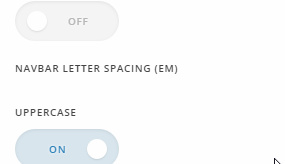
Do you have custom CSS and JS? Would you mind removing them for troubleshooting purposes?
Once you done that and nothing works, please give us access to your WordPress admin in a Secure Note.
Thanks.
I’m sorry but what is the username?
Thanks.
Hi,
I will forward this to our web development team for review.
For now you can add the code below in X > Theme Options > CSS to change the letter spacing of your menu items.
.x-navbar .x-nav-wrap .x-nav > li > a {
    letter-spacing: 1em;
}
Change 1em to adjust.
Thanks
Thanks you
You’re welcome! 
This topic was automatically closed 10 days after the last reply. New replies are no longer allowed.