I am trying to change the color of the nav text when its on the current page. Please see attached.

Hi Mark,
Currently, the settings on current active link text color is the same with the interaction text here which is white:
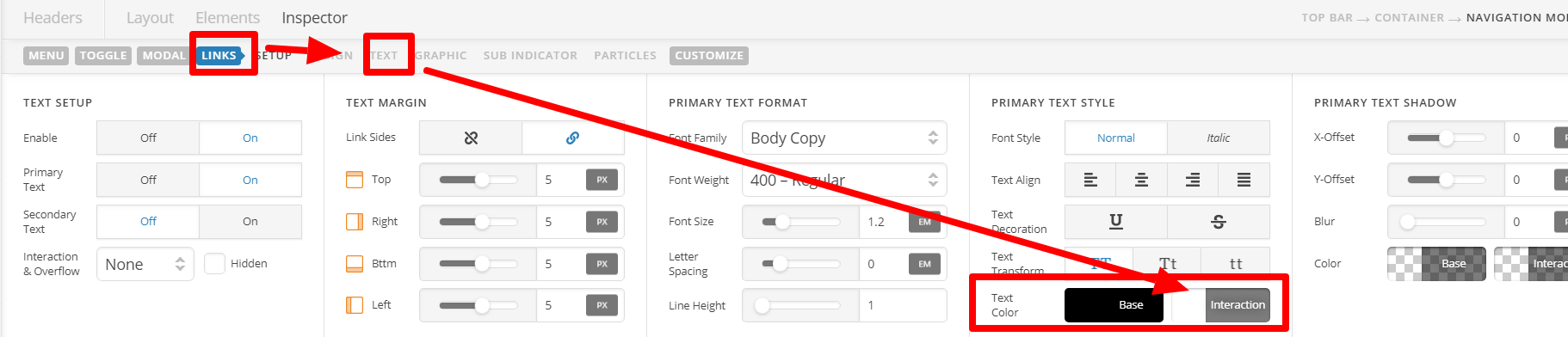
I can see with your setup that this doesn’t work. To set a different color, go to that CUSTOMIZE TAB of this menu, then on ELEMENT CSS, add the following:
$el.x-menu .x-anchor[class*="active"] .x-anchor-text-primary {
    color: red !important; /*Change red to your preferred color*/
}
Hope this helps.
Thanks,
But this overrides the interaction color as well, so now everything is red (or the color I would choose). when you hover over it.
I just want the current page i am on to be a different color like the image I am attaching
Hello Mark,
To resolve your issue, please update the code given by Lely and use this instead:
$el.x-menu .current-menu-item .x-anchor .x-anchor-particle-primary {
    color: rgb(114,191,68) !important;
    transform-origin: 50% 100% !important;
    opacity: 1;
    transform: scale3d(1, 1, 1);
}

$el.x-menu .current-menu-item .x-anchor .x-anchor-text-primary {
    color: red;
}
We would love to know if this has worked for you. Thank you.
Perfect Thanks.
You’re welcome!
It’s good to know that it has worked for you.
This topic was automatically closed 10 days after the last reply. New replies are no longer allowed.