Say, for the navigation bar on this website. https://onesourcemarketing.us/. I can’t figure out where to change the roll over color. Right now it is white and the background is white so you can read the words when rolled over.
Hi @rkassebaum,
Thanks for reaching out.
To change the menu hover color just go to X > Theme Options > Headers and locate the links tab then click the color.
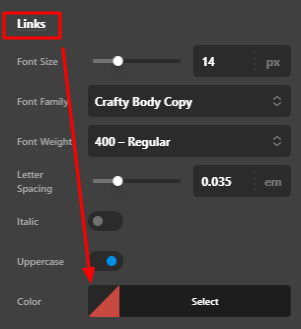
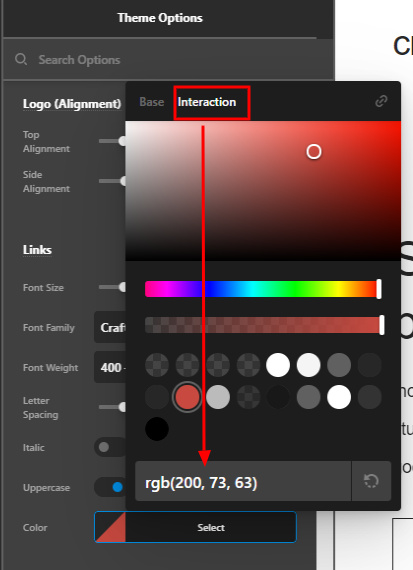
After clicking the color go to the interaction and change the color to your desired color when hovering the menu.
Hope that helps.
Thank you.
This topic was automatically closed 10 days after the last reply. New replies are no longer allowed.