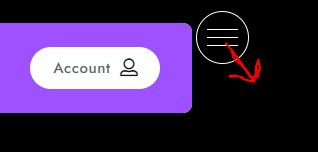
How do I move superfly menu over and also How do I center the icon and text inside the menu?
How do I move superfly menu over and also How do I center the icon and text inside the menu?
Hey @detech,
To move the Superfly button, you can use the shift options under the Button Settings.
If you mean move the button over the menu panel/canvas, there is no option for that.
When you said:
Are you referring to the Logo Image and Site Title? We need clarification for this first.
Thanks.
Correct, My issue is that the logo and text are not centered and I also don’t have a wide enough space to have the desired width of my text (I have this same issue with not having enough width space with the top menu as well).
Hi @detech,
If you see the content area of the Superfly Menu, the Text and Logo are in the center already. If that is not the case and you are trying to point out something else, please provide any screenshot marked with the issue that helps us to recognize the problem.
Thanks
How can I horizontally move the Logo and text below to be off-center to the desired position and not collapse into a second line? I also want to add a little more space between the menu items but playing with the values doesn’t result in me doing this correctly. I spent a good deal of time before asking so thanks for any helpful information.
Hey @detech,
To increase the space between the menu items, you can use the padding option.
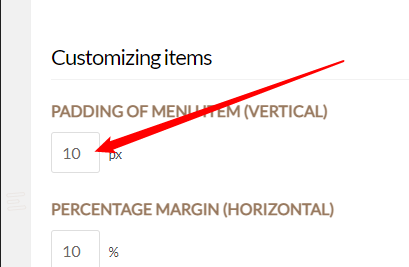
There’s no option to align the logo as it is centered with the menu out of the box.

You will need to tweak its position using custom CSS. We do not provide custom CSS as part of our theme support but we could point you to the right direction. As an example, add the following custom code in Theme Options > CSS.
.sfm-logo {
    left: -30px !important;
}
That should move the menu provided there’s no custom code conflicting with it.
If it doesn’t work on your end, please hire a developer to check the application on your end.

Hope that helps.
This topic was automatically closed 10 days after the last reply. New replies are no longer allowed.

