Move Navigation buttons in classic slider

Hi There,

I have created several classic slider elements in my site. An example is here:

http://keighleyclay.com/print-1/

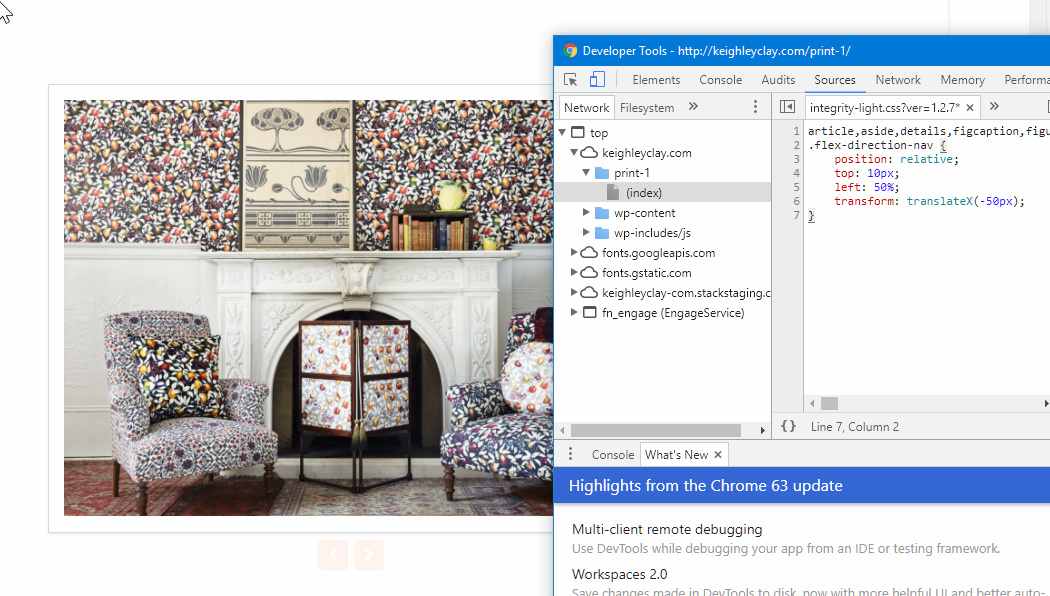
I would like to move the position of the navigation items in the top left-hand corner of the slider to below the image. Can someone help me do this?

Also is it possible to make this change globally? It would save me having to change all of the items individually.

Thanks in advance for your help.

Chris
Hey Chris,

Please add this code in Appearance > Theme Options > Global CSS for site-wide implementation or your Content CSS for page only.

.flex-direction-nav {
    position: relative;
    top: 10px;
    left: 50%;
    transform: translateX(-50px); 
}

The code serves only as a guide. Fixing issues and further enhancements would be outside the scope of our support.

Hope that helps.

Hi Christian,

That’s awesome, thanks for the help. I’ll try it later today.

Chris

Let us know how it goes, Chris.

Awesome,

It works perfectly. I used the global CSS option through the theme options and it appears across all of the classic slider elements that have been created in the site.

Thanks for the support

Chris

You’re most welcome, Chris.

This topic was automatically closed 10 days after the last reply. New replies are no longer allowed.