Short video:
Hello Andrew,
Thanks for the very detailed video.
To resolve that issue, please go to X > Theme Options > Header > Navbar and make sure that the Navbar Top Height value is exactly the same as the actual height of your navbar. Less height would mean that the blog index or page contents below will be behind the navbar.
Please let us know if this works out for you.
AWESOME THANK YOU very much!
I just tried that and it didn’t seem to work… thanks!!
Video… https://www.loom.com/share/d43259f46e1f4d65a598e2a4e335571c
Hello @ajrenk,
Thanks for updating the thread.
Can you please try clearing browser cache and I checked the URL that’s in the video you have shared and on my end I can see that the spacing between content area and navigation bar. Please see screenshot.
URL: http://clients.andyrenk.com/zin/the-pantry/
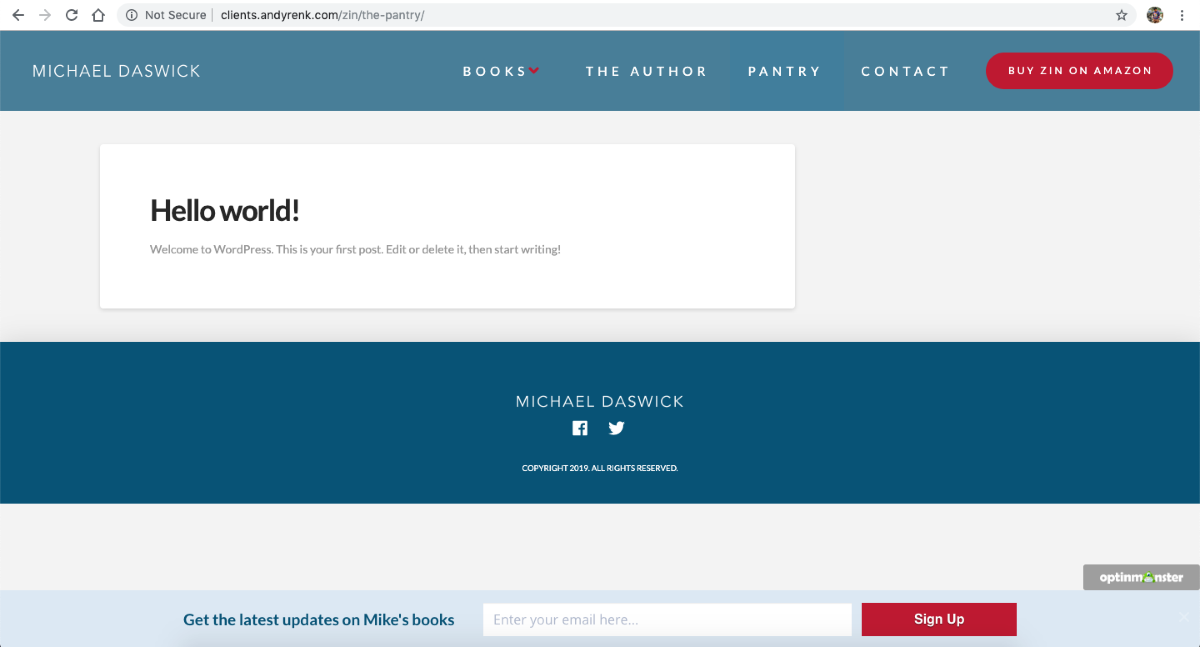
Thanks.
This topic was automatically closed 10 days after the last reply. New replies are no longer allowed.