Updated all client sites to Pro 2.0.4 and the ones that were using M.E. Calendar have some pretty awful formatting issues. Sidebar no longer shows up, etc. Here’s a screenshot of an event using all of the defaults.
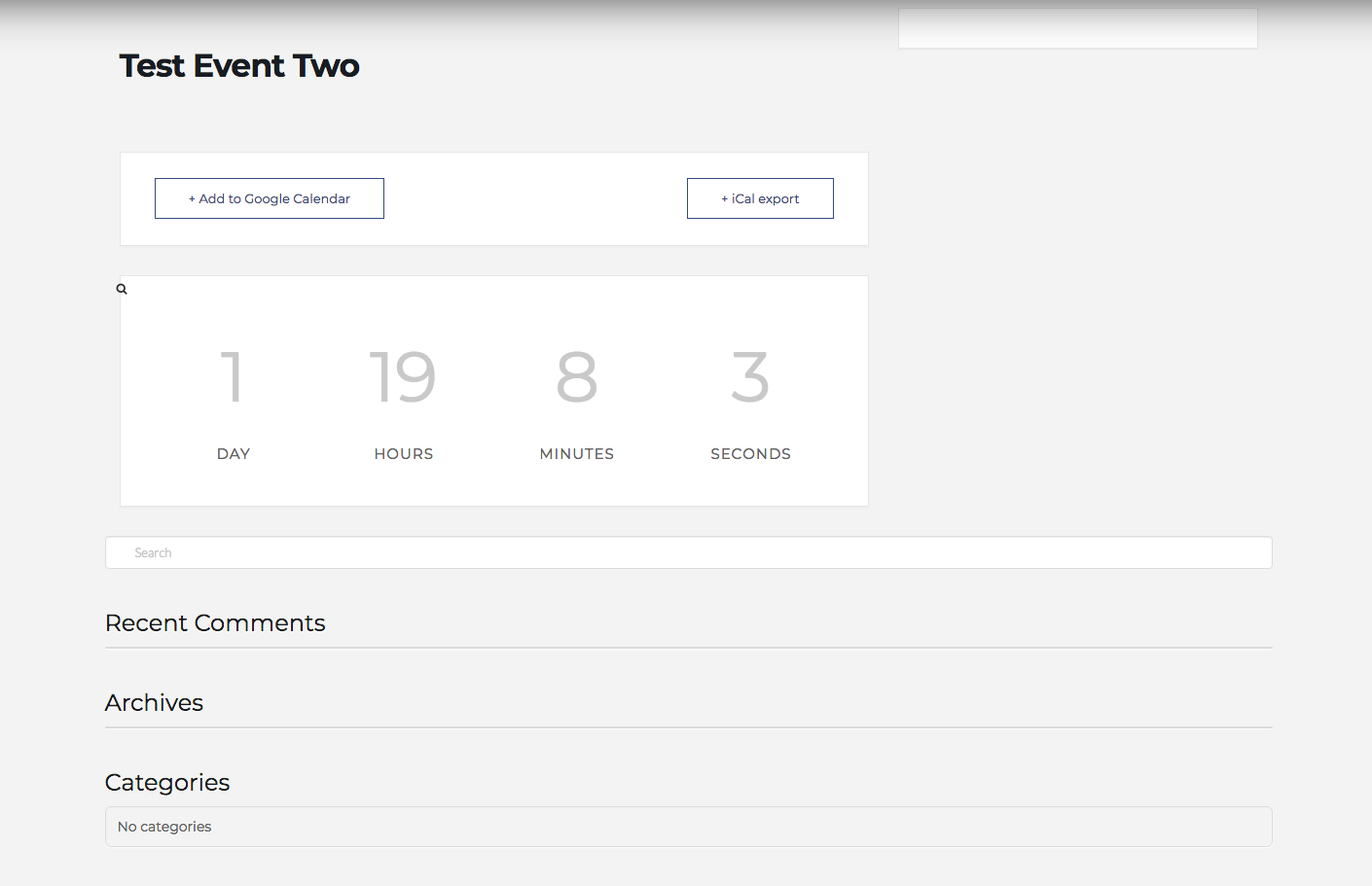
Updated all client sites to Pro 2.0.4 and the ones that were using M.E. Calendar have some pretty awful formatting issues. Sidebar no longer shows up, etc. Here’s a screenshot of an event using all of the defaults.
Hi There,
Thanks for writing in! I have added a test event page for you with a sidebar attached to the page (see secure note). Could you please follow along and see if that helps.
Thanks!
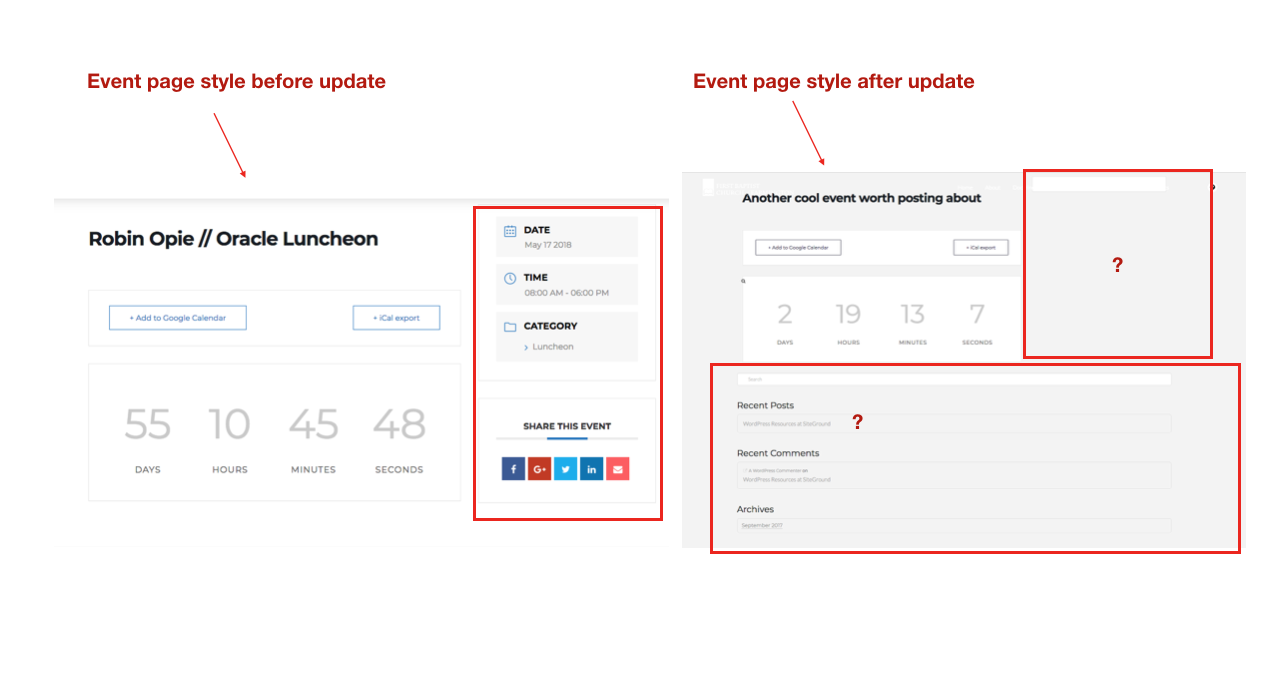
I’m sorry @mldarshana – there seems to be a bit of a misunderstanding as to what I’m referring to. If you take a look at my original screenshot or this new comparison image you’ll see what I mean. It is on the event-specific page that all of the detail is missing. Please advise.
Thanks.
Hi there,
The MEC has no direct relation with Pro to be affected by updates. It has its own template and styling system away from the theme. Would you mind providing your site’s URL. And if you’ll check the code of that page, it uses mec-events-template-default template, instead of theme’s default template.
I checked the source code on that sidebar and this is what I see,
<div class="col-md-4">
            <div class="mec-event-meta mec-color-before mec-frontbox">

                <!-- Register Booking Button -->
                            </div>

            <!-- Attendees List Module -->

            <!-- Next Previous Module -->

            <!-- Links Module -->

            <!-- Google Maps Module -->
                    </div>
Which means it works, but just empty and maybe it’s due to internal error. I’m not saying it is, but I would like to investigate it further. Would you mind providing your FTP login credentials as well?
Thanks!
Hello There,
It seems that you are only having a caching issue. Since you have installed SG Optimizer, always remember that after every updates (theme or plugins), you will need to purge your site cache before testing your site. And since you are using SiteGround, you will need to clear the site cache as well or at least temporarily disable the supercacher in your hosting panel? The SuperCacher is developed by SiteGround exclusively for their customers. It increases the number of hits a site can handle and boosts the website loading speed. The SuperCacher includes 4 different caching options for maximum optimization of your websites. You can access the tool by clicking on the SuperCacher icon in your cPanel.
For more information about this, please check it out here: https://www.siteground.com/tutorials/supercacher/supercacher_intro.htm
Hope this helps.
@RueNel – thank you but I am not having caching issues. This is how the events render now. All caches are flushed and server cache is disabled. Please look into this for real…
Hi there,
I don’t see any FTP credentials in your posts. It’s still an admin login credentials.
Thanks!
This topic was automatically closed 10 days after the last reply. New replies are no longer allowed.