Modern Events Calendar Carousel Images Clickable

Hi,

We’re trying to make the images in the Modern Events Calendar Carousel view clickable. We’ve added the js below but it isn’t working. The image has a hyperlink attached but the url is ‘undefined’. Can you identify what we might have wrong?

jQuery(document).ready(function($){
$('.mec-event-article > .event-carousel-type1-head').each(function(){
	var link = $(this).find('.mec-event-carousel-content > .mec-event-carousel-title > a').attr('href');
	$(this).find('.mec-event-image').wrap('<a href="'+ link +'" ></a>')
});

});

Thanks
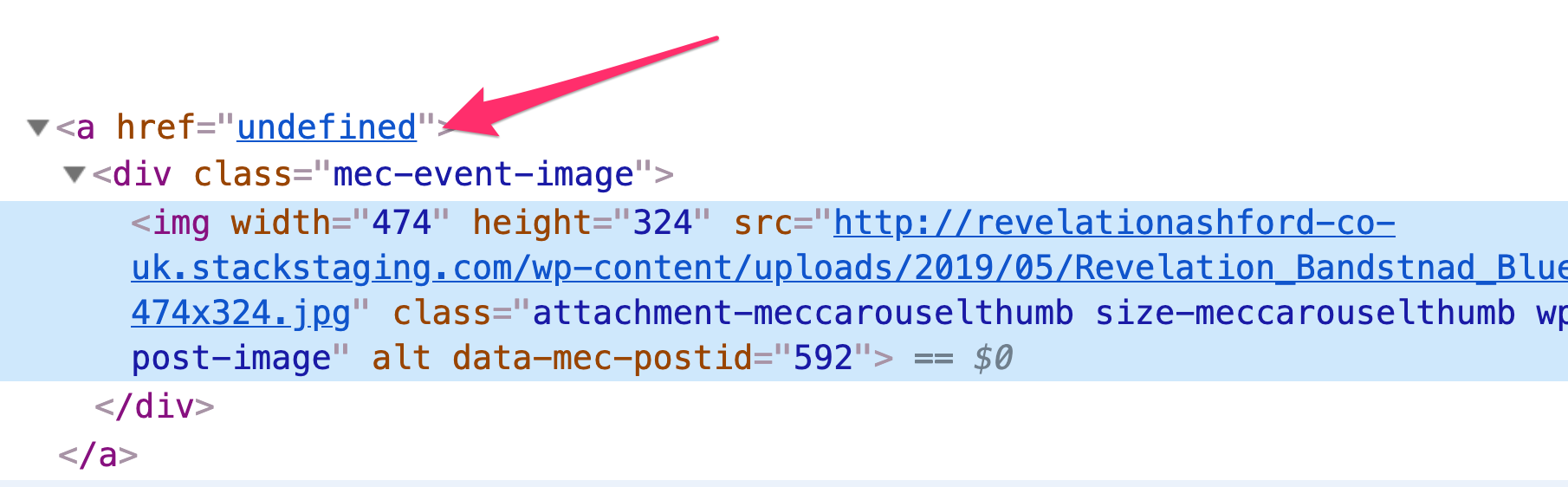
Hi @spaghettiweb,

Please note that any custom code goes beyond the scope of the support we can offer.

However, here are some thing that you can try looking into:

#1. Try checking if there is any JS error in the console which might be stopping the code from working.

https://wordpress.org/support/article/using-your-browser-to-diagnose-javascript-errors/

#2. If there is not error present, try checking if the link has an actual value by logging it in the console using console.log( link ) and that the image actually gets wrapped by an a tag through <a href="'+ link +'" ></a>'

If you are still not able to figure it out, kindly provide us the link of the page you’re working on because you have several licenses in your account and I am not sure which site is in question and we will try to look into it.

Thank you.

Thanks for the quick reply. We don’t see any js errors.

As the site is in development please see the private link.

Hi @spaghettiweb,

Thanks for providing the link.

Checked the page and the link variable is empty:

Based on the structure of the markup of the carousel, your JS code is not working because you are not looping through the correct items.

Try using:

jQuery(document).ready(function($){
    $('.mec-event-carousel-type1 .owl-item').each(function(){
        var link = $(this).find('.mec-event-carousel-content > .mec-event-carousel-title > a').attr('href');
        $(this).find('.mec-event-image').wrap('<a href="'+ link +'" ></a>')
    });
});

Kindly note that since this is a custom code that changes the default behavior/display of the theme, you will be responsible to maintain or update the code in case you require further changes or if the code stops working in future updates. If you are uncertain how to proceed, it would be best to get in touch with a developer.

Hope this helps.

Yes, we tried to target different items but couldn’t get the right combination. This works great.

Thank you for the assistance.

You’re most welcome, @spaghettiweb.

This topic was automatically closed 10 days after the last reply. New replies are no longer allowed.