We are having a problem with the padding inside the content area of an off-canvas modal on all devices, but looks the worst on mobile. Here is the example. https://www.wnyenergy.com/employment-opportunities/. Click on either button.
Hello @bsquareweb,
Thanks for writing in!
Please edit your page and adjust your padding of the modal setting.
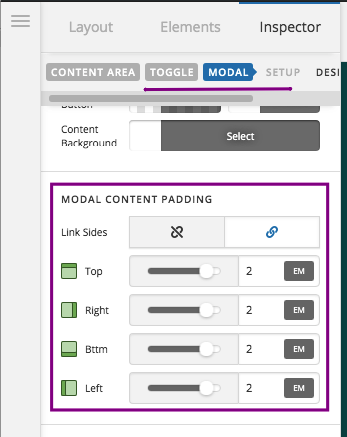
At the moment, in your modal, the padding is 6em. If you can reduce it to 2em then it would make a difference already. If a more controlled spacing is needed, you may need to wrap your modal content with a div element with a custom padding in it like this:
<div style="padding: 25px; line-height: 1.4; text-align: center;">
  Add any HTML or custom content here.
</div>
We would love to know if this has worked for you. Thank you.
This topic was automatically closed 10 days after the last reply. New replies are no longer allowed.