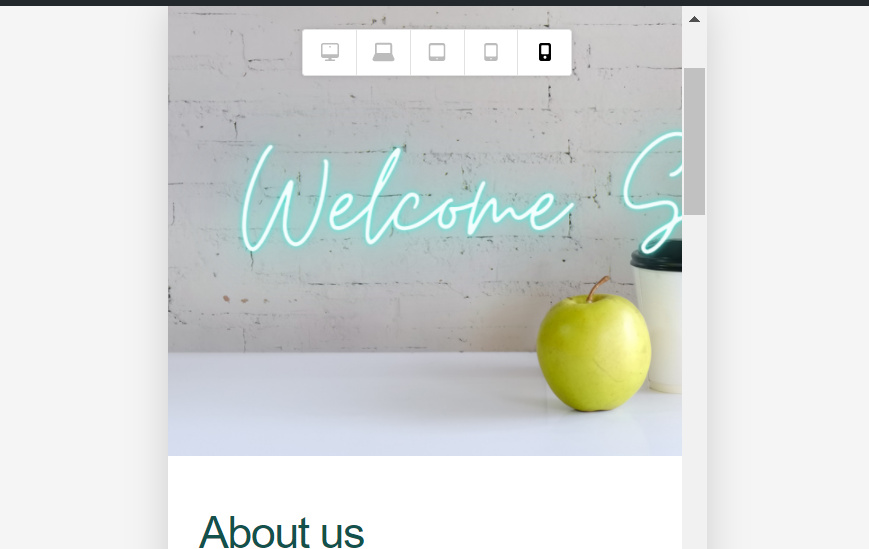
HI, we just finished our page but there is a problem with mobile screen view- the background picture is not shown full width. The rest of the page is fine- the full width content gets stacked, but thats ok. But how to make the top background picture full width on a mobile screen?
See picture below.
Page is www.financesisters.com
Hi @Financesisters,
Thanks for reaching out.
This can be due to some custom values and some of the in-appropriate values set into the attributes. By removing those values from the browser debugging tool, it works.
Please find the screenshot describing the values you need to reset.


If you are not able to find the attributes and the issue persists, please provide login credentials for your site in a secure note, including:
– WordPress Site URL & Login URL
– WordPress Admin username/password
To create a secure note, click the key icon underneath any of your posts.

Thanks
Thank you- see my secure note.
I create a new section Then added the background image in section and 7vh padding in section. And remove the height from columns. The background image shows properly in frontend in mobile view.
Please check the screenshots.
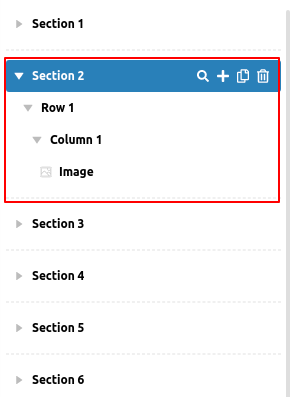
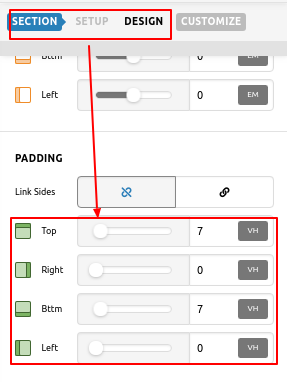
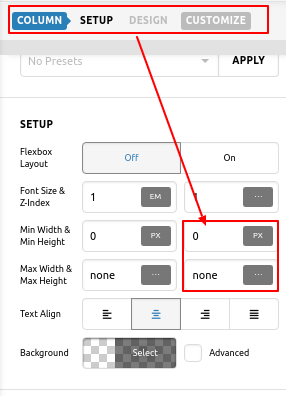
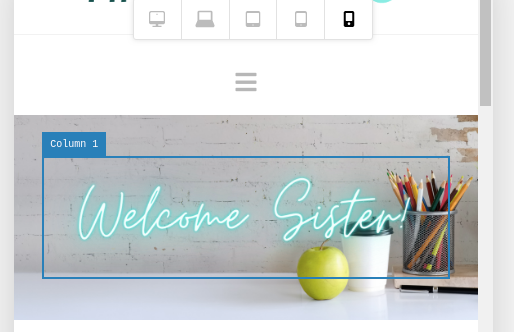
Hope it helps you.
Thanks
Amazing, thanks! Keen to try this on new pages as well. Thanks for your help!
This topic was automatically closed 10 days after the last reply. New replies are no longer allowed.