Mobile Navigation Not Scrolling Properly When Opened

Hi there,

I’m having a problem with the mobile navigation on a site not scrolling properly once it’s opened. I tested this on an iPhone 6s in both landscape and portrait view.

Once the main menu is open and I then open the sub menu items, so that the list options expand beyond the length of the viewport, I don’t seem to be able to scroll down to those menu items. Instead, it scrolls the background page, so the background page is moving but not the menu and I can’t get to the lower menu items.

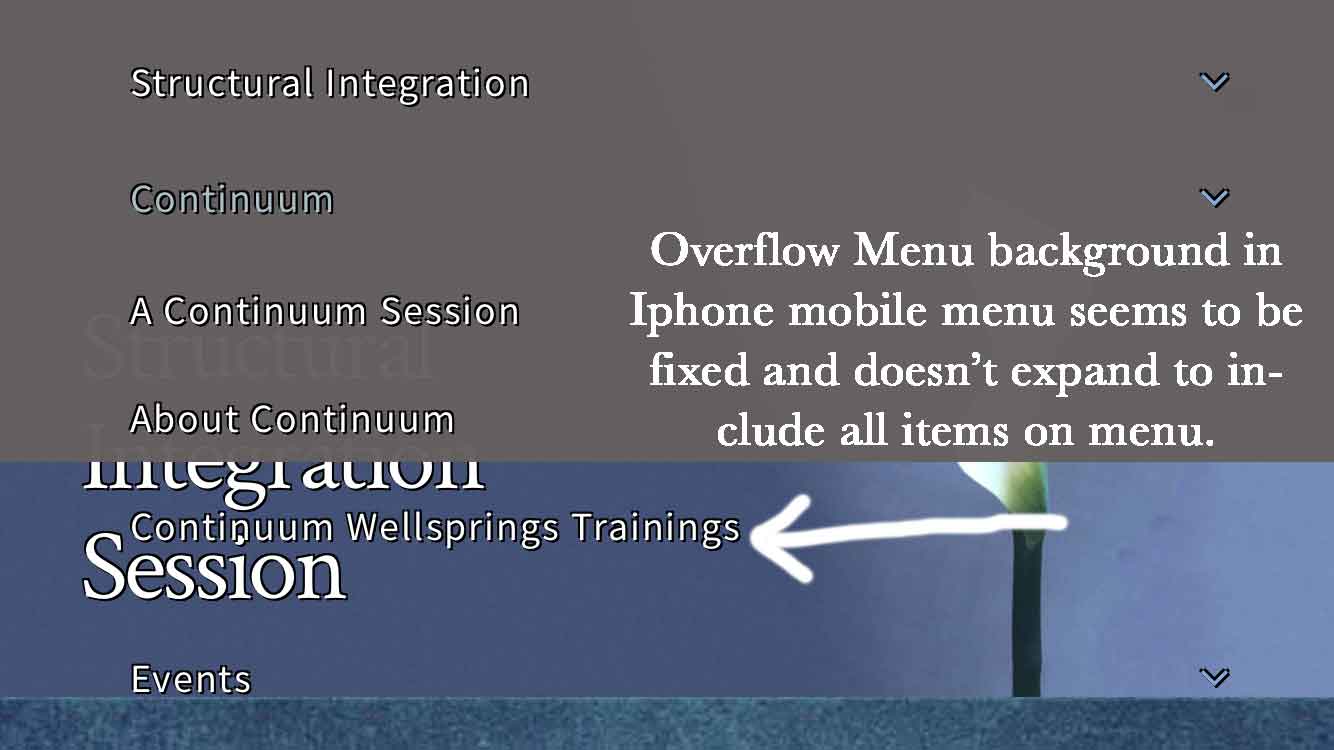
Also, at times the gray menu background doesn’t expand to encompass all of the items lower on the menu, especially if they appear out of the viewport. I’ve attached an image of the background not covering issue so you can see that.

The url for the menu is: http://www.gaelrosewood.com/continuum-session/
Hi there,

Thank you for your report regarding this. This is more of an improvement request which we already added to our internal system:

Please kindly stay tuned for upcoming releases to have an improvement on how the Mobile Menu will show.

At the moment I suggest that you use other Element instead such as Navigation Collapse which will have that scrolling effect you have mentioned.

Thank you.

Hi there,

We have a response from our development team regarding this case:

This works as expected, they have custom CSS on the page that is tampering with core styles and breaking the scrolling. Specifically, the one they should remove is this:

.ps-container {
overflow: visible !important;
}

> Beyond that, they should remove these as well:

```css
.x-off-canvas.x-active .x-off-canvas-content {
  width: 102% !important;
  left: 0px !important;
  max-width: 102% !important;
  box-shadow: none !important;
}

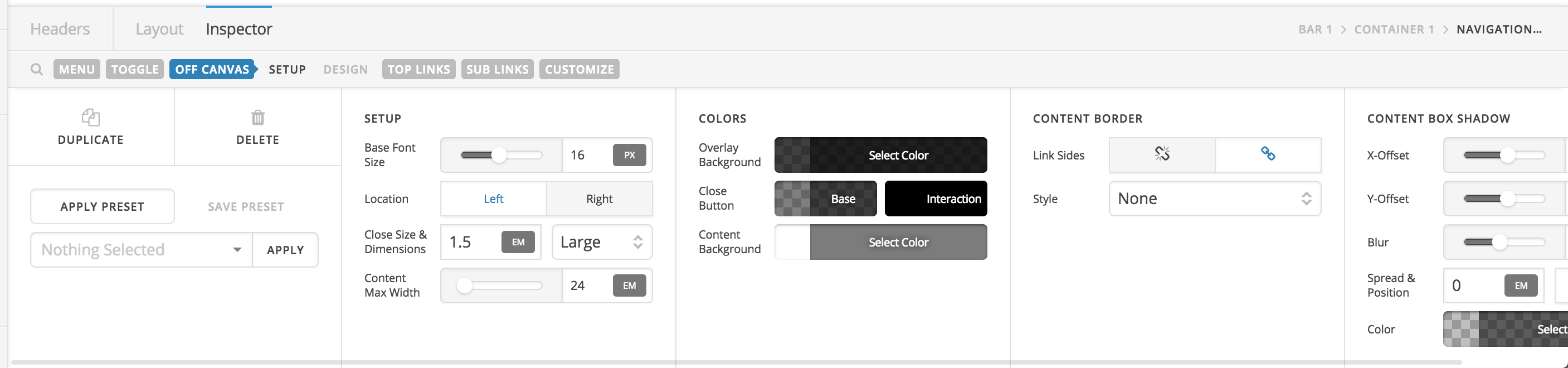
Those can all be tweaked directly in the tool, no need for custom CSS. They need to make sure to click into the “Off Canvas” control grouping:

From there they can adjust the Location, Content Max Width, and Box Shadow as needed, and it will ensure things style properly rather than using invasive and unnecessary CSS.

Thank you.