Mobile nav not working

Hi,

Apologies for starting another support thread, but for some reason I couldn’t reply to my previous one here > https://theme.co/apex/forum/t/pro-header-mobile-navigation-not-working/48413

Anyway, I’ve checked after clearing the cache etc. and on the menu option for ‘Venues’ I can select a dropdown. However, for the option for ‘Classes’, I still can’t select the dropdown. Clicking the down arrow doesn’t work.

Can you help?
Thanks.
Hi Loren,

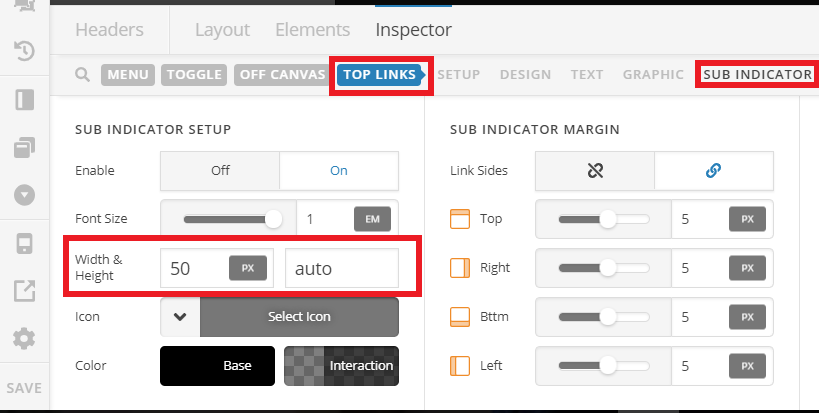
Thank you for reaching out to us. In Header Builder, inspect your Navigation Collapsed element then go to Top Links > Sub Indicator and adjust Width and Height of the down arrow icon (see screenshot).

You can set the width to 50px or as per your need and then check the sub menu again.

Let us know how this goes!

This topic was automatically closed 10 days after the last reply. New replies are no longer allowed.