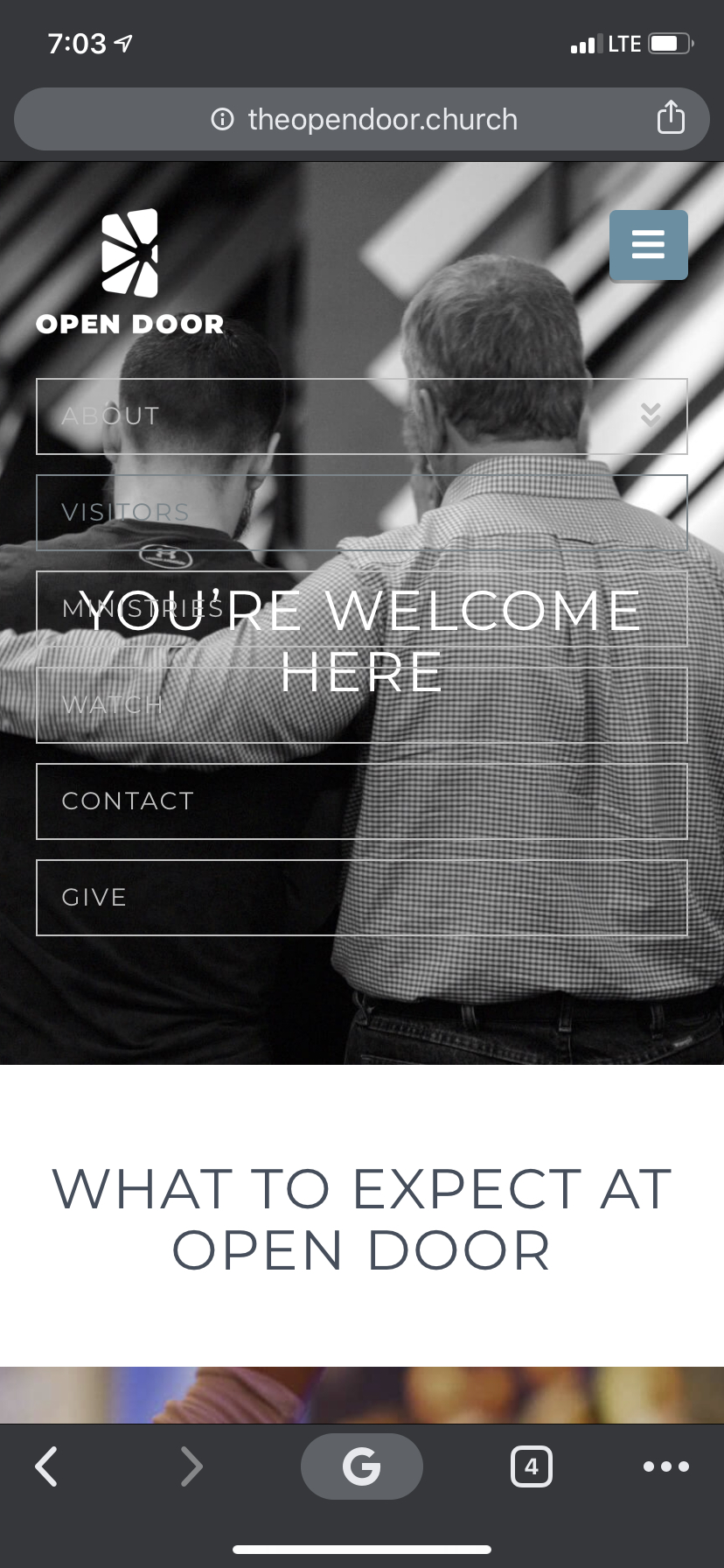
On my site, the mobile menu doesn’t push down the content when it opens, but instead it slides down over top of the top section on the page. Any suggestions on how to fix this?
theopendoor.church/visitors
theopendoor.church/watch
On my site, the mobile menu doesn’t push down the content when it opens, but instead it slides down over top of the top section on the page. Any suggestions on how to fix this?
theopendoor.church/visitors
theopendoor.church/watch
Hello Brock,
Thanks for writing in! It appears that you are having a caching issue. After doing the updates or once it a while, always remember to clear all caches since you have installed Autoptimize and WP Fastest Cache plugins so that the code from the latest release is always in use. This will help you to avoid any potential errors.
And please clear your browser cache too. You may use private browsing mode in testing your site to make sure that you are viewing the latest codes from the updates and not the cached version in your browser.
Please check your site now.
I’m still seeing it 
Hey Brock,
It’s normal that it won’t push the content down because you’ve absolute positioned the masthead. It no longer takes up space.
The custom code doing that is this:
.masthead {
    position: absolute;
    width: 100%;
}
If you opt not to ues that for small screens. wrap your custom code with a media query the following code:
@media (max-width: 979px) {
.masthead {
    position: absolute;
    width: 100%;
}
}
If not, try adding a background to the mobile links like the following:
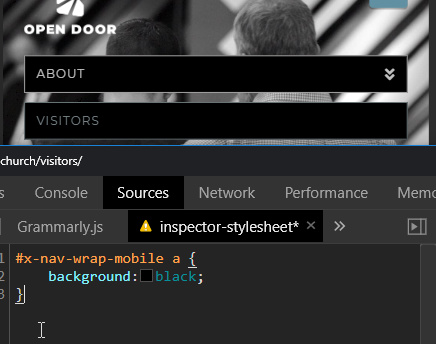
#x-nav-wrap-mobile a {
    background:black;
}
Hope that helps.
This topic was automatically closed 10 days after the last reply. New replies are no longer allowed.