Mixiing Sections, Rows, & Columns

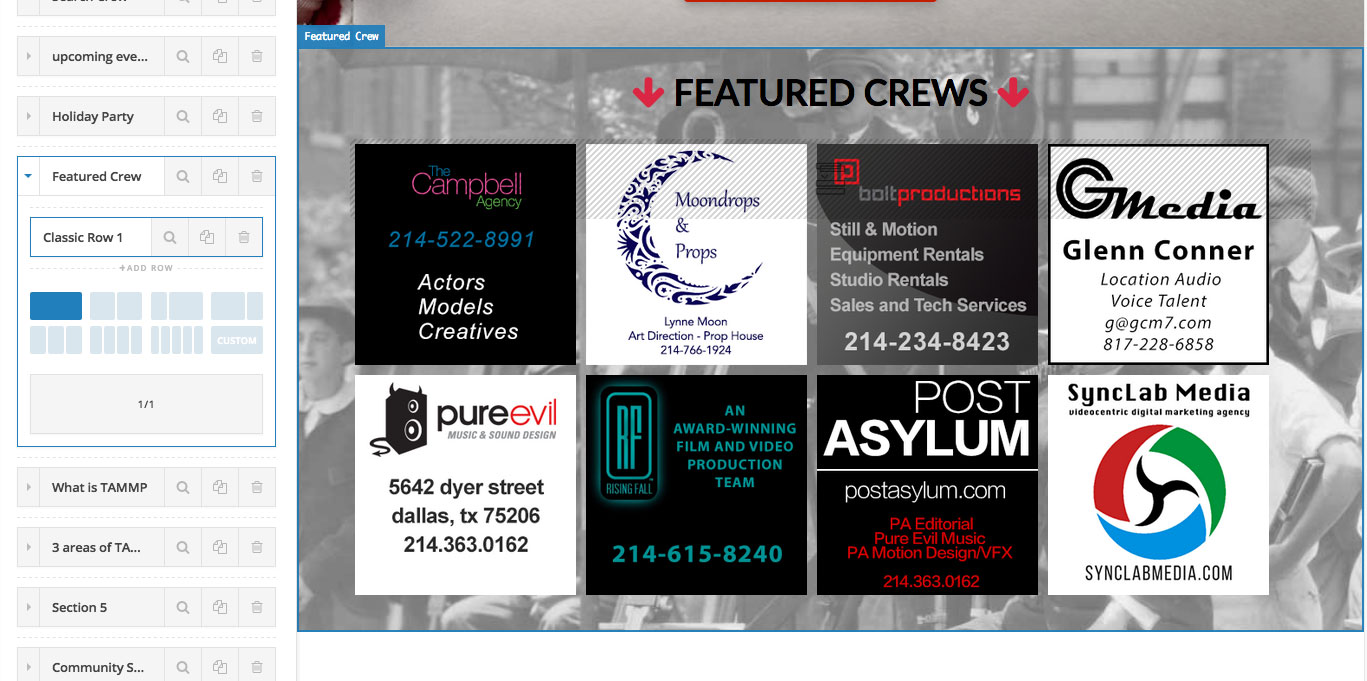
How would I go about creating a layout that has a custom title in 1 row and 1 column followed by a second row with 4 columns, all within a section. I need the same background image to to be behind all of these. The only way I ssee to do this is to create a section for the custom title and then another section with 4 columns but then the background image will not match up. (See attached for example of how it will be laid out)
Many thanks,
Houston

Hello There,

Thanks for writing in! Please keep in mind that to avoid layout complications, nesting of sections, rows and columns is not allowed in Cornerstone. I would recommend that you create 1 section and several rows with different number in columns. You can have as many rows as you want in a section. In your example screenshot, you may create 1 section and 3 rows. For the 1st row, you can have 1 column. For the second row, you can divide it into 4 columns and so on.

Hope this helps.

I did not realize that once the columns were set in the section that you could change the columns in each row. My bad. However now that I have done this and I am trying to put in images that will expand and contract with the size of the window, I notice that the images, although larger than they are being displayed, get displayed as a tiny thumnail. Why? Why isn’t the image taking up the entire width of the column?

Hello There,

The image is displaying just a small size because somewhere in your child theme’s style.css, you have added this code:

.platnum-ads img {
    float: left;
    margin: 5px 5px;
    width: 23%;
}

Please keep in mind that your images is under the section with a custom platnum class and this is why the css code affects the image sizes.

Hope this helps. Please let us know how it goes.

This topic was automatically closed 10 days after the last reply. New replies are no longer allowed.