Hello Loren,
I went ahead and edited your Company and Contact page.
How I did it? Please do the following:
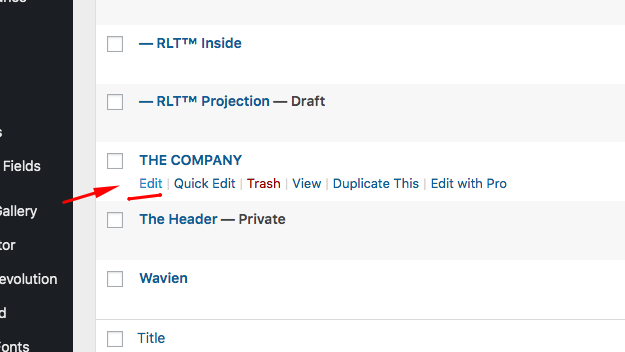
1.) Go to Pages > All Pages, and find the page you will need to edit.
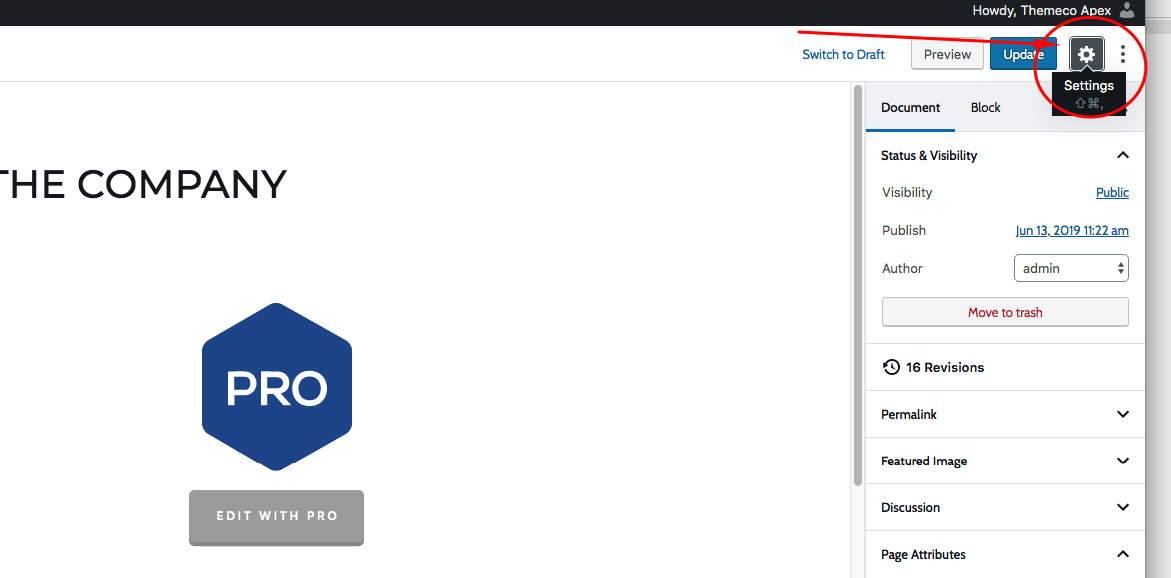
2.) Find the Settings or the gear icon
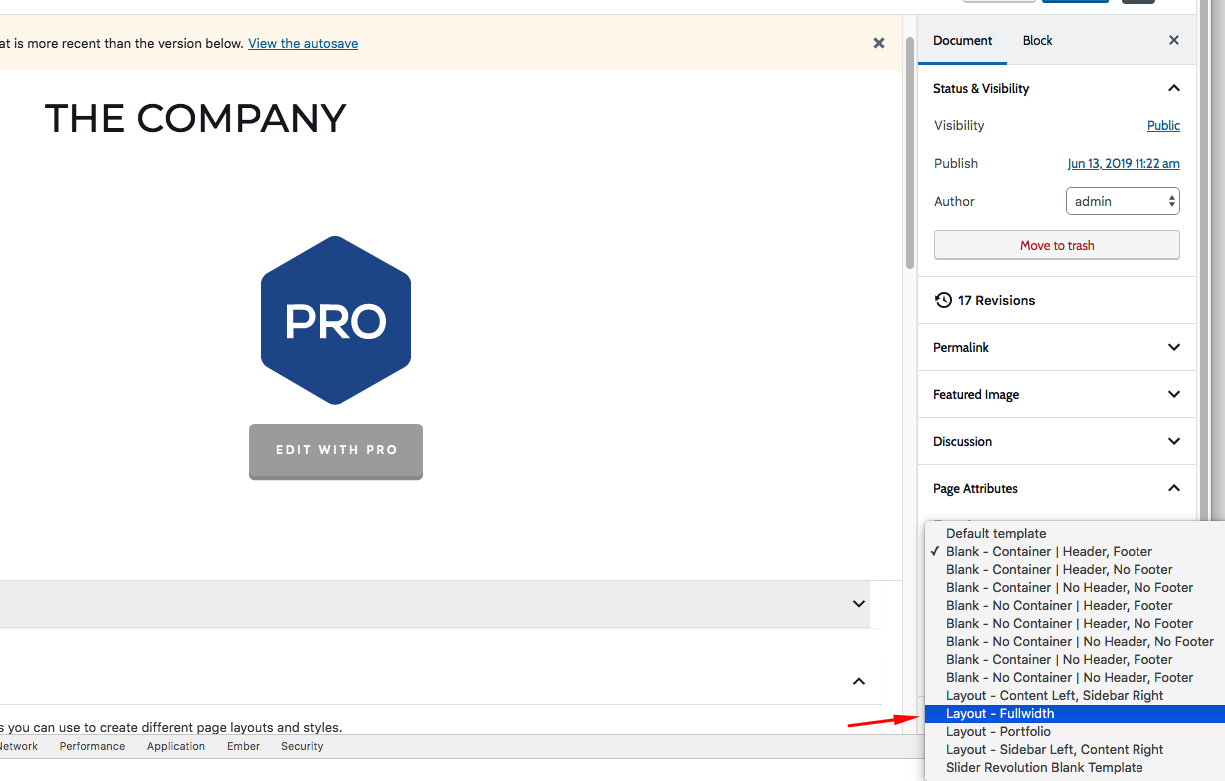
3.) And then change the page template in the Page Attribute from Blank - Container | Header, Footer to Layout - Fullwidth.
Please be informed that pages using Blank - Container and Blank - No Container will not display the page title. If you want to display the page titles, you will need to use the Layout - Fullwidth page template.
Hope this helps.


