Missing Template Options

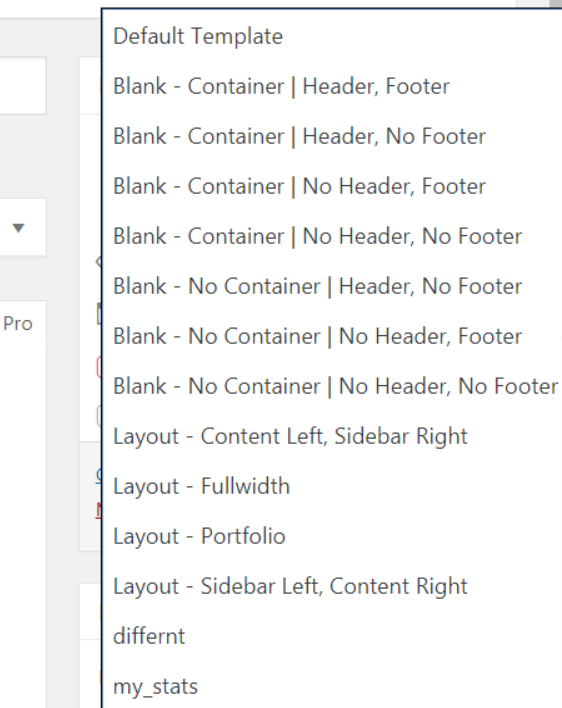
Hello, most of my site uses the Blank - No Container | Header, Footer. Something happened after the last update where that option is missing but most of the others are still there.

The file exists - VIEWS/ETHOS/TEMPLATE-BLANK-4.PHP

When I go to update a page and save it, it knocks it back to the default template and messes up the page.
Hi There @broc2211

Thanks for writing in! First of all, make sure that you’re updated by following this guide here (https://community.theme.co/kb/version-compatibility/).

Then make sure that you’re running PHP v5.6.x or later to avoid incompatibility issues.

If you’re still having issues, try disabling your 3rd party plugins and test this issue again to see whether you’re experiencing a plugin conflict. If the issue is resolved, then you can activate your plugins one by one to see which plugin causing this issue.

Let us know how it goes.
Thanks!

I have done all of that. When I go into Page - Choose Template, that options does not exist in the drop-down but most of the others do.

Update, if I switch off my child theme it shows up. Any idea why this would not show under the child?

Got it, file was sitting in there that was conflicting.

Glad you’ve sorted it out :slight_smile:

This topic was automatically closed 10 days after the last reply. New replies are no longer allowed.