Hi,
If you go to a blog post like this, you’ll see the share buttons are missing from the bottom.
Any idea why?
Thank you.
Hi,
If you go to a blog post like this, you’ll see the share buttons are missing from the bottom.
Any idea why?
Thank you.
Hello @demonboy,
Please go to X > Theme Options > Miscellaneous > Font Awesome and make sure that the “Brands” is enabled.
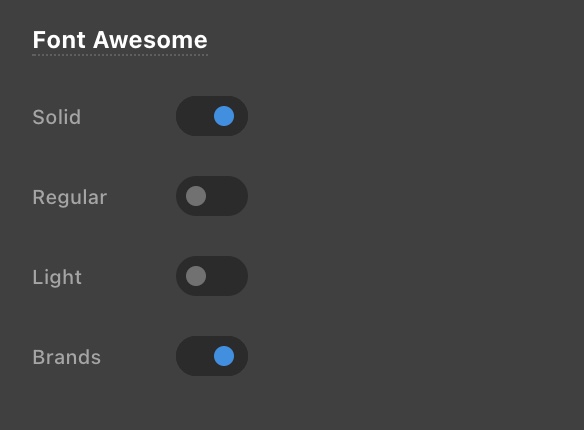
Kindly let us know how it goes.
Of course. If you remember we turned those off the other day to reduce the page load time!
Thanks, @ruenel
Hi @demonboy,
Yes, please keep those enabled because those are used on some places as default, like the sub-indicator on the menu and the search icon, those are using the solid variant of FontAwesome.
Thanks,
Hi @friech. I still have this caching issue and I’m not seeing the social icons. Are they appearing for you ok?
Hi @demonboy,
We are also not able to see the social icons. As my colleague says, you need to turn on the Font Awesome > Brands option to load the icons.
Hope it helps.
Thanks
I turned these on, saved them, went back to wp-admin, returned to theme options and noticed that they are turned off again. Why is this not saving my options? I notice this is happening with global blocks too. I create a global block, save it, and then when I return to it, it’s not been saved and is blank.
Hi @demonboy,
The icons are showing up on my end,

Is it probably acaching-related. Please clear and deactivate all your caching plugins and features. Just activated it back when you done developing the site, it is not recommended to have caching features enabled when the site is still in the development phase.
Thanks,
This topic was automatically closed 10 days after the last reply. New replies are no longer allowed.