Hi,
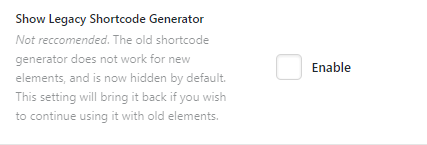
There used to be button on the WYSIWYG editor that opened up a window to add shortcodes from X Theme (right next to the “Add Media” button). I don’t use Cornerstone for my blog posts because they’re mostly text, but I was using these shortcodes like [alert] or [tab_nav] that came really in handy. These shortcodes still work on the pages (except one I’ll explain below), but the button to add them is no longer there… Why has it been removed? I keep using the ones i remember but I’d love to be able to generate them from the original window again.

The shortcode I mentioned doesn’t work anymore is the tabs. The tabs are generated on the page but you can’t switch from one to another. I’m thinking maybe they are declared differently now… but since I can’t find a way to auto-generate the code I wouldn’t know. See it in action here.
Thank you for your assistance.
Regards,
Mireia