Hi there,
I am trying to change the body font in my Conrnerstone installation, but I’m missing the option in the “body and content” section under typography. How do I get it back?
Hi there,
I am trying to change the body font in my Conrnerstone installation, but I’m missing the option in the “body and content” section under typography. How do I get it back?
Hi there,
Thanks for writing around! I checked your setup and I can see the Body and Content section under Typography on my end (see screenshot in a secure note)
Please clear your browser’s cache and reload the site. Cheers!
I’m not seeing it. I cleaned my cache. Here’s Chrome:
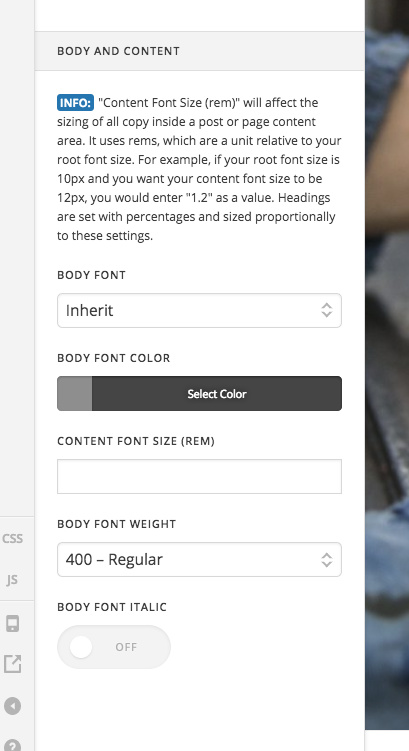
Here’s Opera. (I’d never logged in before using opera, so it couldn’t have been cached)
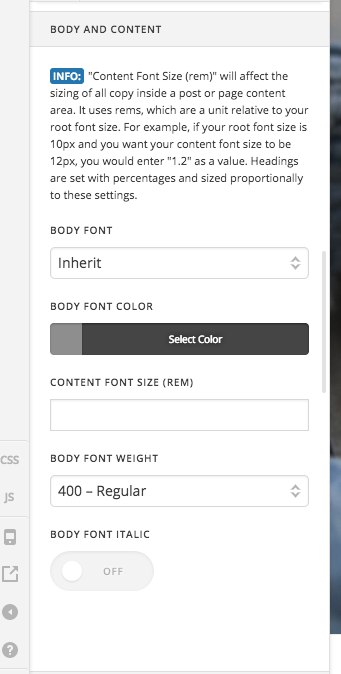
If you’re unable to figure it out, can you suggest the CSS I can use as a short term fix to switch the font to Open Sans?
Sorry to bother you… do you have any ideas how to resolve this, either at the root cause or using CSS? I’m under the gun 
Hi There,
You enable the font manager, you supposed to define all the fonts that you want to used first under Templates > Fonts

Or you can turn off the Font Manager so you can choose the font directly from the drop-down.

While investigating; I Saw two issues on your site that might hunt you later. First, is you re-named the x folder as x2, please rename that back to x
Second, your WordPress version (4.7.9) is out of date. With this, you’ll be going to have an incompatibility issue with the Theme and/or Plugins.
If the live site is kind of delicate for now, I advise that you duplicate the site on a staging server and update your site there first.
Hope it helps,
Cheers!
Thanks for your help. I get it now.
one more question: how do I now universally update the line-height for paragraph text? I don’t see that in templates…
Hi There,
V2 Text element have a line-height option.

For the Classic Text element, please use this custom CSS.
.x-text, .x-text p {
	line-height: 2;
}
Cheers!
This topic was automatically closed 10 days after the last reply. New replies are no longer allowed.