Minor questions

Hi there!

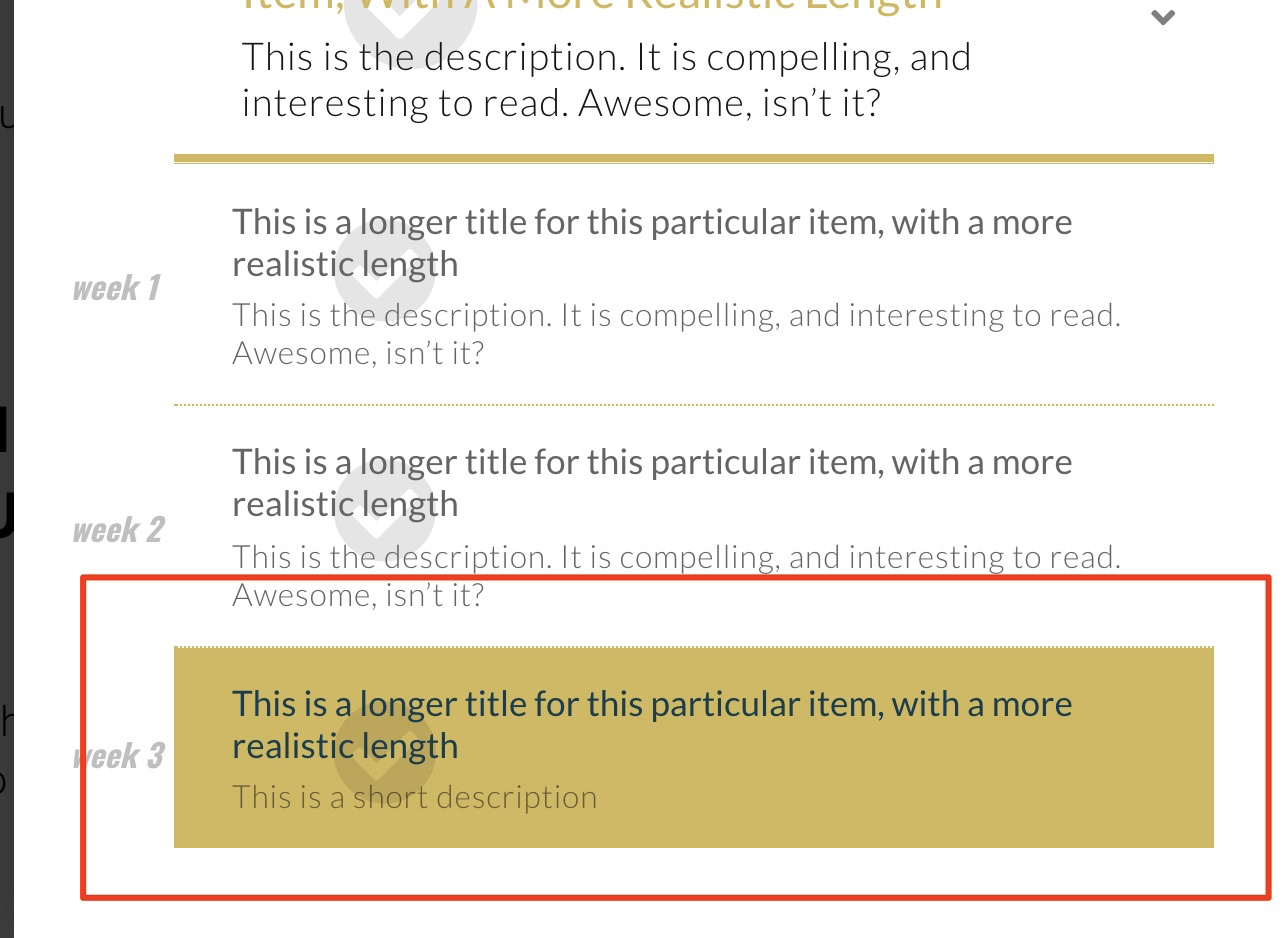
In the private note below, you’ll find a screenshot. This is a menu that I am building, which serves as the ‘checklist’ or plan of a course.

The 1st sublink (week 1) is the active item. I want the active item to have a dotted border at the bottom, like the other sublinks. How do I do that? (see the hand drawn red line)

And the other question is related to the particles. You see the particles end state in the screen shot. However, even though the height of both is set to equal 100%, it only covers the text of the sublink. Is there an easy way to make the particles cover the entire menu item (so all the way down to the red line??

Many thanks!
Hi Tristan,

On Customize Tab of menu element > Element CSS, try adding this:

$el .sub-menu .x-anchor[class*="active"] {

    border-bottom: 2px dotted red; /*Change color as necessary*/

}

Are you sure the height is set to 100%? When I inspect the element, it is only set to 50% for the particles. Please double check or try clear cache.

Hi Lely,

Thanks!

With regards to the 2nd question:

One particle is set to fill from the top, going dowm 50%, the other particle is set to fill from the bottom going up 50%.

This ads up to 100%, and in the transition you can see them meeting halfway.

However, i would expect the bottom particle to start transition in from further down.

Hi Tristan,

There’s an overlap between the two particles that’s why their total don’t make a full height.

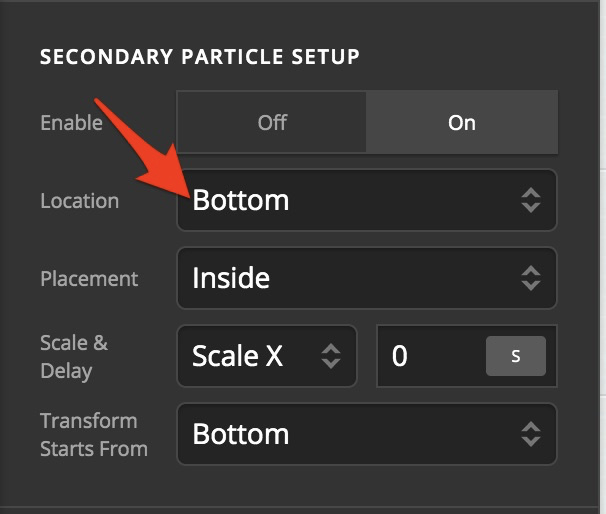
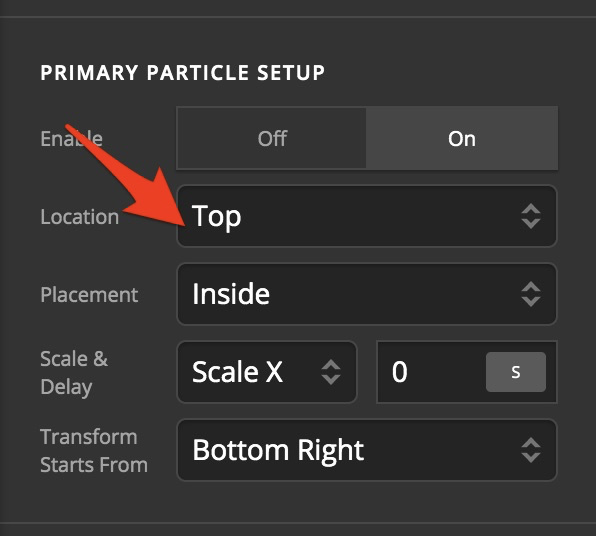
Can you make sure that one particle’s Location field is set to “Top” and the other is set to “Bottom”?

This should avoid them from overlapping, making them add to 100%. If this doesn’t work (though it should), the easiest solution is to simply make one of the two particles 100%. I’ve tried doing this on your site using my browser and it seems to be working fine.

Thanks!

Works perfectly.

You’re welcome!
We’re glad we were able to help you out.

This topic was automatically closed 10 days after the last reply. New replies are no longer allowed.