Hi!
I saw this on multiple websites and machines:

Thanks!
Hi!
I saw this on multiple websites and machines:
Thanks!
Hello Misho,
Thanks for reaching out. 
On one of my Pro Theme dev setup I had a pending update for Pro Theme. I updated the same and I don’t see the success message stating X Theme has been updated. Can you please confirm that Pro Theme is active theme on the website that you are seeing this message?
In case Pro is active theme, then please share website login details in secure note for us to take a closer look.

Thanks.
Hi!
I have seen this on Pro too but it has been dismissed. For now, I can give you the login of X-theme where the notification still stands.
Once I update more Pro themes, I will send you the login details of those sites if you don’t resolve it by then. Thanks!
Thanks!
Hello Misho,
Thank you for providing the information. I have investigated the issue and it turns out that “Webcraftic Clearfy – WordPress optimization” plugin is causing an issue adding its own custom classes which overrides the default notices styling.
Default X notice classes:
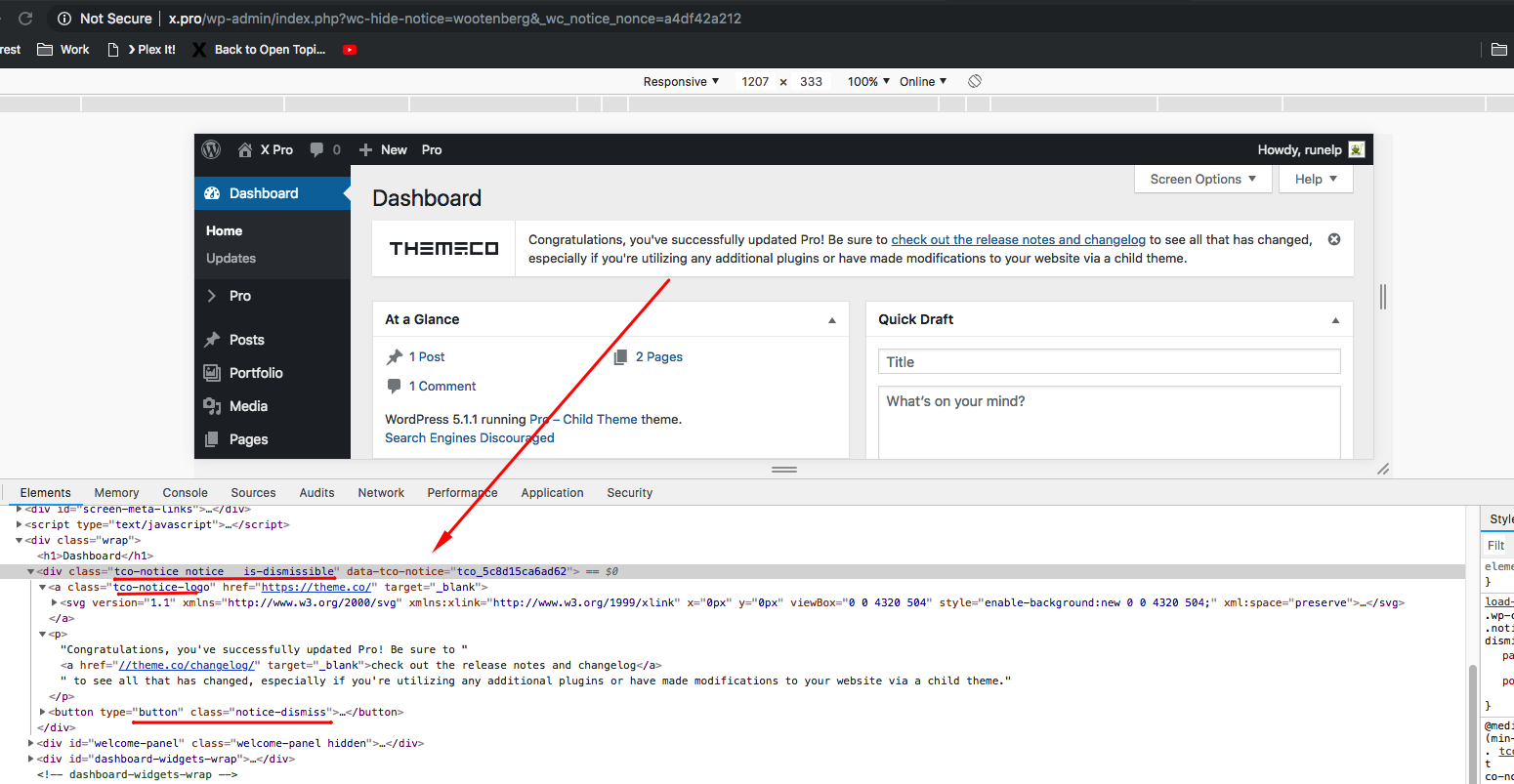
When the said plugin is active:
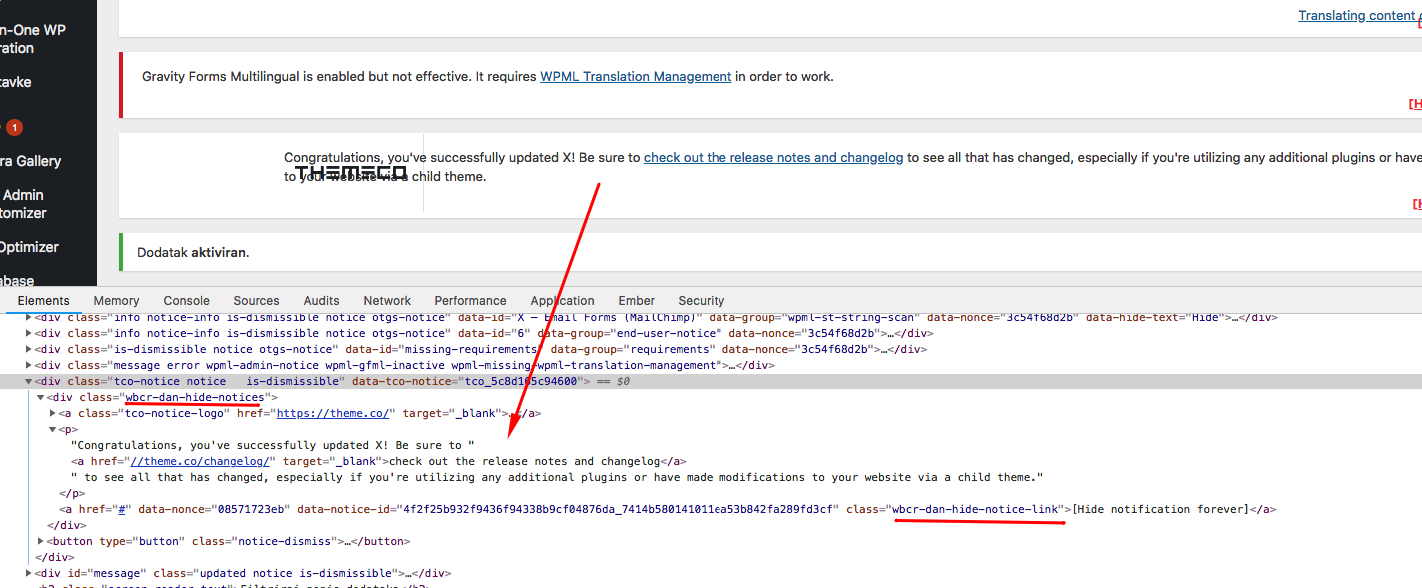
Please temporarily disable the plugin so that you will see the difference.
Lol what a beginner mistake. Sorry.
I did turned off few plugins I was suspecting at, but not Clearfy.
Sorry again,
thanks!
No problem.
If you need anything else we can help you with, don’t hesitate to open another thread.
This topic was automatically closed 10 days after the last reply. New replies are no longer allowed.