Menu Toggle / Close Button Frustration

Hi there,

One of the most annoying things for me with X/Pro is the implementation of Menu Toggle and Close Buttons and their configurations.

See: https://www.loom.com/share/6e74e6b6fde847e8a540c3772ca00c9d

I really hope this is improved in the future to have a more coherent flow.

In the meantime, what is the solution to “match up” both buttons in terms of style/size/placement - so the result is no mouse movement needed to toggle between both.

Note: Using ‘osborne-optics’ Header from Design Cloud.

Thanks!
Hello @kademcconville,

Thanks for writing to us.

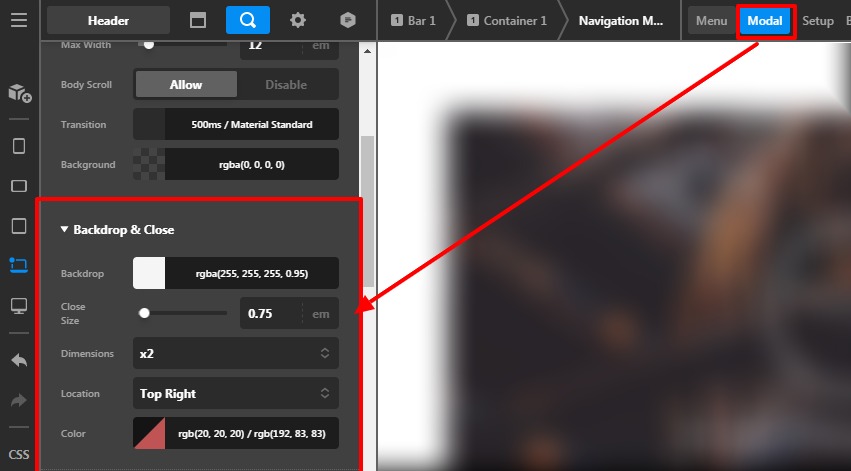
For the Menu Toggle close button, you need to go to the Navigation Modal —>Modal—>Backdrop & Close. Here you will get all the options for the close button.

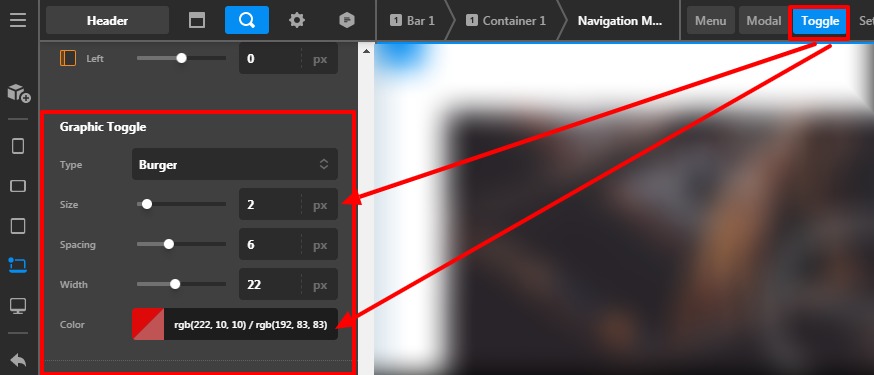
For the Menu burger icon size and style, you need to go to the Toggle

Hope it helps
Thanks

Hi there,

This is nothing to do with those controls sorry.

This is to do with the alignment matching both toggles. They SHOULD be the SAME button in terms of the function.

The way X/Pro designs them are 2 totally individual/separate buttons.

Look at the video and you will see the bad experience where the buttons essentially move around.

Hi @kademcconville,

As the Menu Toggle and the Close buttons are two different elements and the alignment can’t be the same. You may need to add a few custom CSS codes to do it.

Thanks

This topic was automatically closed 10 days after the last reply. New replies are no longer allowed.