Hi,
Just noticed these new controls in the customize particle for the modal element. What is this used for? Do you have any documentation? How can take advantage of this in my designs? Thanks!
Hello @bradmaclean,
Thanks for writing in!
The particles can be used to add a line or a triangle as you hover over for the top, left, right or bottom of the modal element toggle.
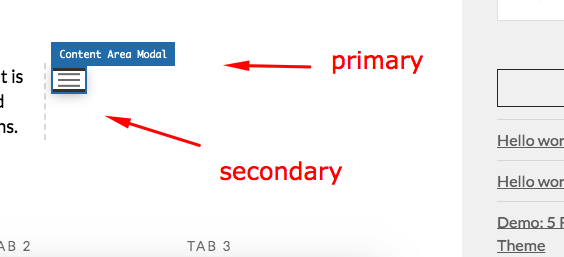
Please check out this knowledge base article:
Sorry, I used the word “particle” in correctly; I meant “preset”. What are the new controls in the customize preset used for?
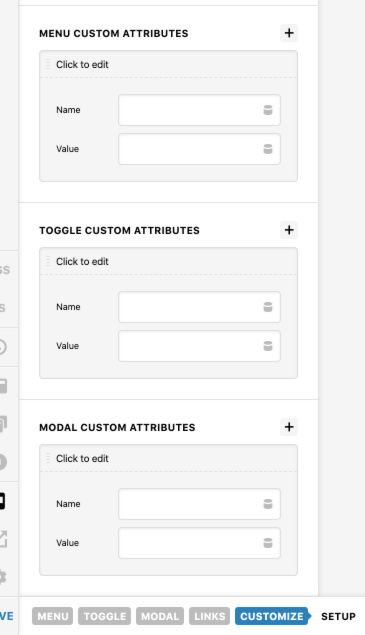
Here are the controls I meant to reference…
Thanks,
Brad
Hi Brad,
Here’s a quote from our Pro 3.1.0, X 7.1.0, Cornerstone 4.1.0 changelog notes, it’s buried by the Grid’s documentation so it’s hard to find. 
CUSTOM ATTRIBUTES
Have you ever had a third party script that required you to place an additional attribute on an Element for it to work as expected, or perhaps you’ve simply wanted to add a customdata-*attribute of your own as a hook for some custom JavaScript? With our new Custom Attributes control found within the Customize control grouping of all Elements, now you can!
All custom attributes added via this control will be placed on the outer-most piece of markup related to an Element. For Elements with forked markup (such as a Modal which has a button trigger in one location and the actual modal itself output elsewhere), multiple Custom Attributes controls are available to place your attributes on any part of the Element.
Hope that shed some lights,
Cheers!
This topic was automatically closed 10 days after the last reply. New replies are no longer allowed.