Hey there,
how do i remove that icon that goes next to the menu - when it has a sub menu item?
 sub-menu-icon.jpg
and how to remove that line between the items in the submenu.
 sub-menu-icon.jpg
Thanks
Hey there,
how do i remove that icon that goes next to the menu - when it has a sub menu item?
sub-menu-icon.jpg
and how to remove that line between the items in the submenu.
sub-menu-icon.jpg
Thanks
Hi there,
Please try adding this in the global CSS:
.x-navbar .desktop .x-nav li>a>span:after,
.desktop .sub-menu li:before,
.desktop .sub-menu li:after {
    display: none;
}
Hope this helps.
Hi There,
thanks, that worked.
Now, still in the menu:
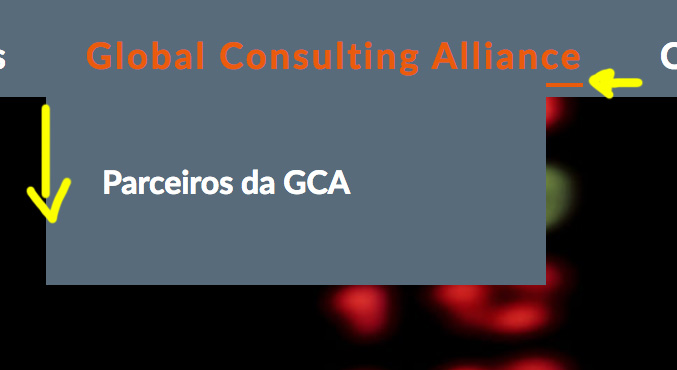 menu-underline-submenu-box.jpg
Thanks!
Hi There,
Please also add this custom CSS:
#1]
.x-navbar .desktop .x-nav > li > a:hover,
.x-navbar .desktop .x-nav > .x-active > a,
.x-navbar .desktop .x-nav > .current-menu-item > a {
    box-shadow: none;
}
#2]
.x-navbar .desktop .x-nav > li ul {
    top: 90px;
}
Let us know how it goes!
Hey there,
Thanks, but that did not work … neither 1 or the 2
the 1st:
I did set 100px in the css, but it keeps the 90px.
When i set 100px, in the inspector, it shows the way i want… but when put in the css doesn’t work, as u can see in the printscreen.
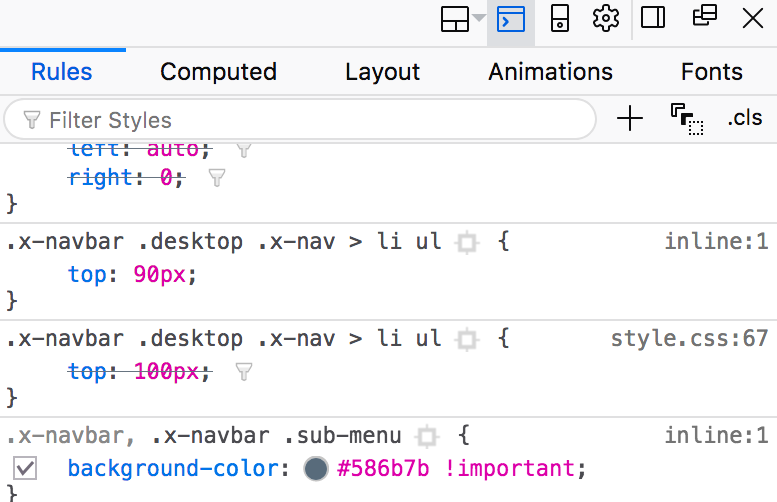
The second also doesn’t work.
When, in the inspector, i change the settings to “none” it works… but then when i try to put that piece in the css this also doesn’t work.
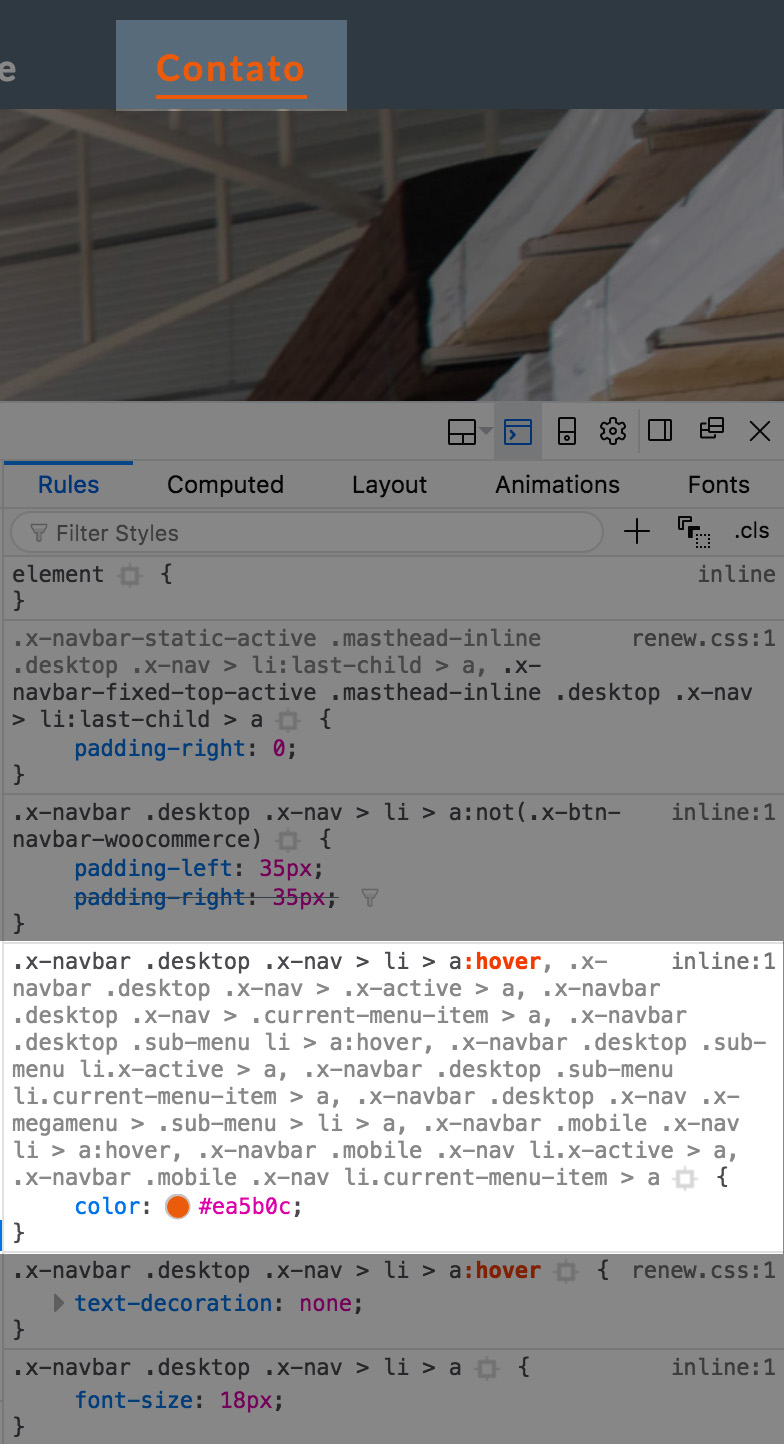
maybe because it’s inline? how to change that?
Thanks!
Hi There,
Please add the following code to Theme Options CSS
.x-navbar .desktop .x-nav > li > a:hover,
.x-navbar .desktop .x-nav > .x-active > a,
.x-navbar .desktop .x-nav > .current-menu-item > a {
box-shadow: none !important;
}
.x-navbar .desktop .x-nav > li ul {
top: 100px !Important;
}
Hope it helps
Hey there,
the fist one worked but like this:
.x-navbar .desktop .x-nav > li > a:hover > span,
.x-navbar .desktop .x-nav > li.x-active > a > span,
.x-navbar .desktop .x-nav > li.current-menu-item > a > span {
box-shadow: none !important; }
the other one worked fine.
Thanks
You’re welcome! 
This topic was automatically closed 10 days after the last reply. New replies are no longer allowed.