Menu Styling

Hi,

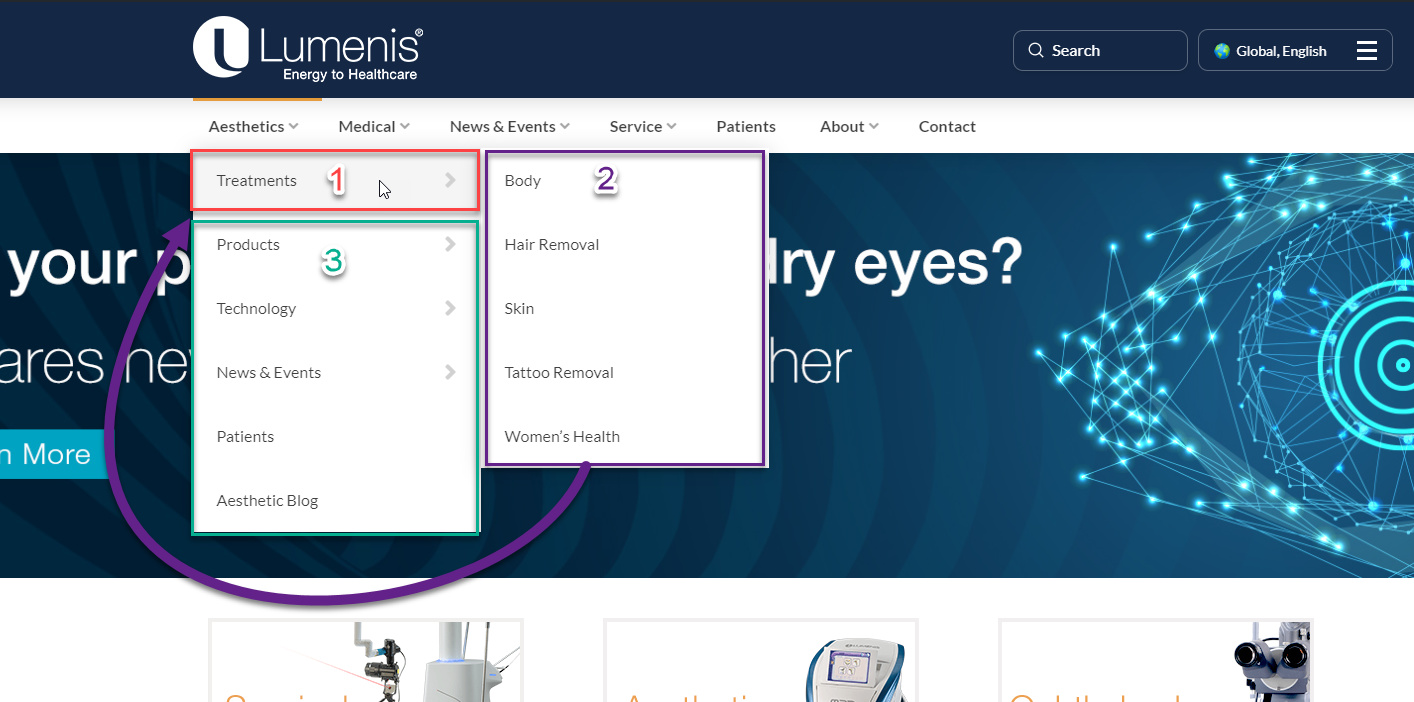
I wanted to know if it is possible with the pro theme to achieve the following, based on the screenshot below:
A. To have #2 between #1 and #3, i.e., so the user won’t need to hover on #1 to see #2.
B. To have #1 as a title for #2.
C. To keep other menu items in #3 as is (i.e., still make them open on hover.)
Hi Amir,

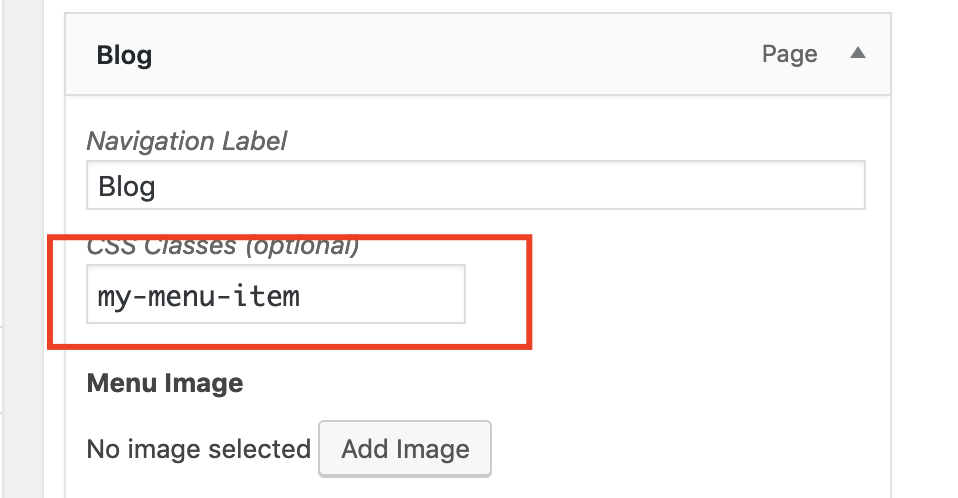
You can achieve that with the custom CSS, please add the my-menu-item class to Treatments menu item:

After that add this custom CSS under Theme Options > CSS:

.my-menu-item ul.sub-menu.x-dropdown {
    position: relative !important;
    left: 0 !important;
    opacity: 1 !important;
    box-shadow: none !important;
    visibility: visible !important;
    top: 0 !important;
}

Hope it helps :slight_smile:

This topic was automatically closed 10 days after the last reply. New replies are no longer allowed.