Menu not displaying correctly (IE)

Hello,

The menu is displaying correctly in all browsers except IE.
Can you please help with the following issues?:

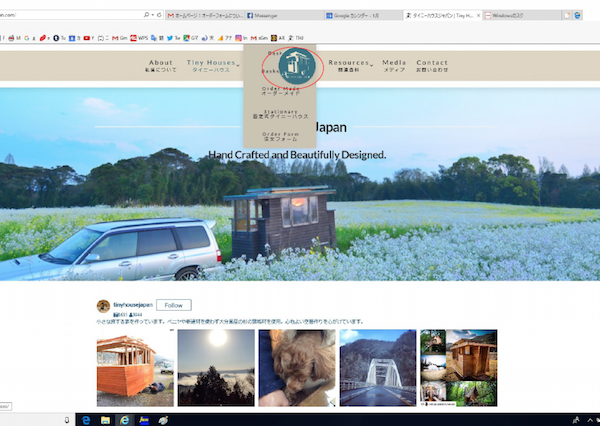
  1. The center logo is covering the submenu
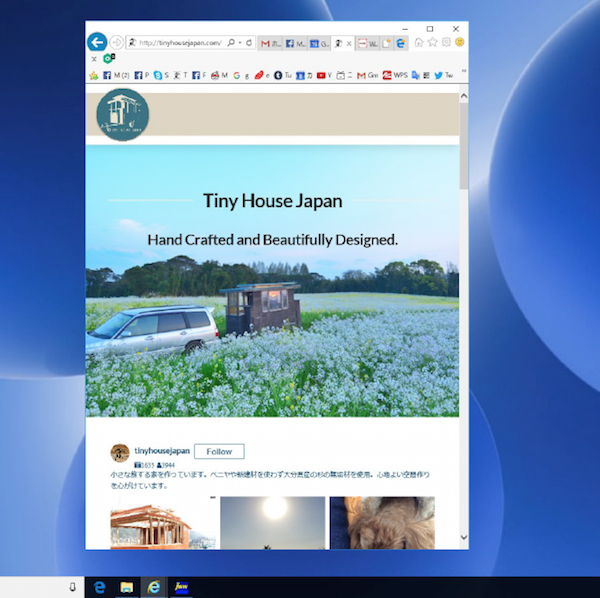
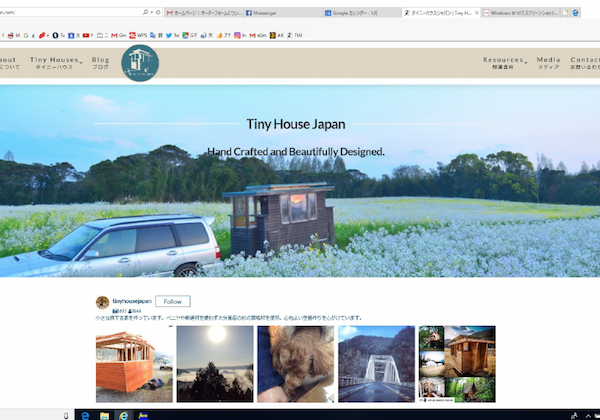
  2. When returning to the home page from another page, the menu isn’t centered properly
  3. When making the browser smaller, the menu is no longer available.

Your thoughts are appreciated.
Thank you

Summary
Hi @kshibata,

Thanks for writing in.

Same with the first thread please share us your URL. I have tried to zoom it the URL in your image however it is not clear.

Once we could see your setup, we’ll do our best to help you.

Thanks.

Hi There,

Thank you for the credentials, I can’t replicate the #2 and #3 issue on my end, what version of IE you’re using? Please clarify.

For #1 please add this to Theme Options > CSS

@media screen and (-ms-high-contrast: active), screen and (-ms-high-contrast: none) { 
	.x-menu .sub-menu .x-dropdown {
		top: 125px;
	}
}

Hope it helps,
Cheers!

Internet Explorer 11 on PC

Thank you

Hi again,

I went ahead and adjusted the Self Flex of each bar to Fill Space Equally to make the layout persistent in all browser. Also for the sub menu issue I added the following code in your Header CSS section:

.no-preserve3d ul:not(.sub-menu).x-menu .x-dropdown {
    position: absolute !important;
    left: 0px !important;
    top: 100% !important;
}
.no-preserve3d ul.x-menu .sub-menu .x-dropdown {
    left: 100% !important;
    top: 0px !important;
}
.no-preserve3d .hm4.x-bar-container {
    text-align: center !important;
}

This seems to have fixed all the issues. Please clear your browser’s cache and reload the site.

Cheers!

This topic was automatically closed 10 days after the last reply. New replies are no longer allowed.