Menu Item Colour in Pro

Hi,

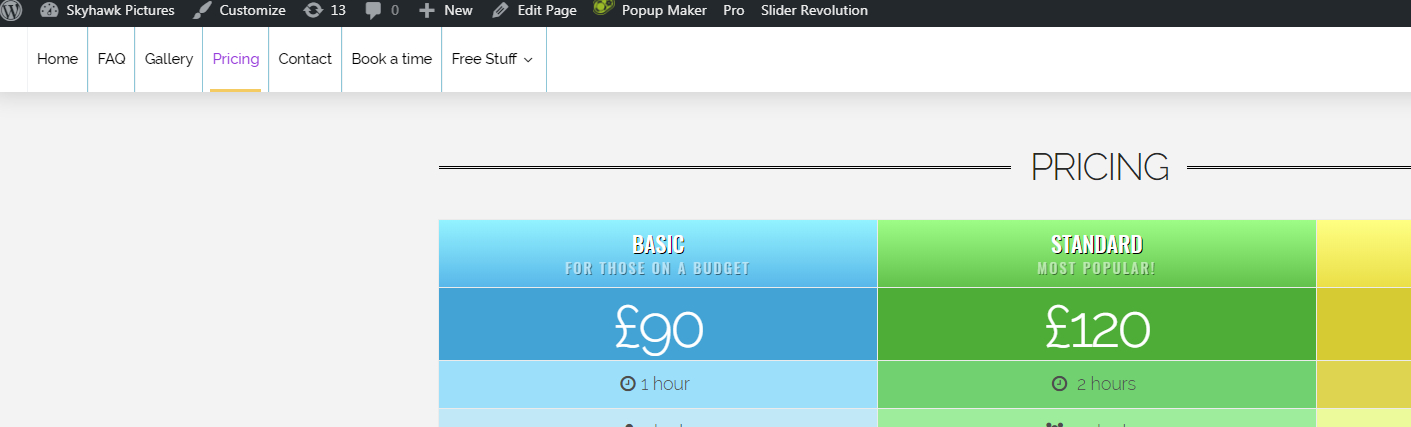
My navbar menu appears to be exhibiting strange colours.
I have set menu text colour (black) and a different interactive colour (purple) for when you hover over.

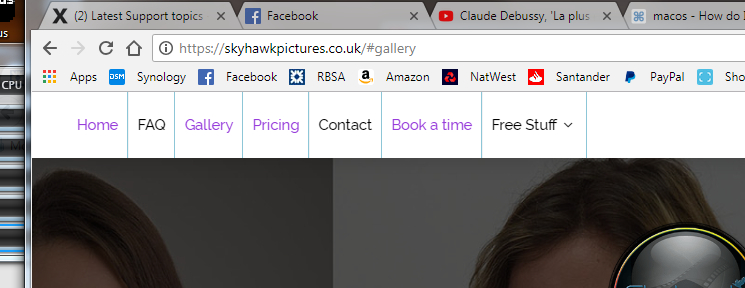
However, my navbar shows the purple colour on some items even when I’m not interacting with them. Same with the item border (though I have just changed this so that the interactive colour is the same as the normal).

I wondered why some were like this and some were not. I’ve narrowed it down to this:- The ones that are purple are links to the same page…i.e. bookmarks. The ones that work correctly are links to other pages.
Any ideas?
Thanks
S.

Hi skyhawkmedia,

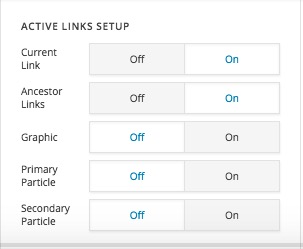
In the new version of the Pro, if you go to the Navigation Inline element inside the Header Builder you will see a new set of options to determine the active link:

Please change those options to find the best suiting way you want to have the link. I suggest that you check the changelog for more detailed information about this.

Thank you.

Thanks for the reply.

I have all the items shown in your picture above set to Off. However, I still get active links shown in the purple colour. All I want is them to change when I hover over them using the interactive colour.

How do I achieve this?
Thanks
S.

Hi, skyhawkmedia,

I checked the website and it is now working ok:

Actually, the settings that you changed did have an effect. But it seems that there was a cache of some kind that prevented you to see the result. If you have a cache plugin please clear the cache and also please clear your browser cache or check the website with another machine.

Thank you.

Hi,

Sorry, I wasn’t clear. It DID have an affect, yes. However, it has not removed it completely. Your image is correct at the top of the page, but if you scroll down to those sections that are bookmarked, the menu lights up. See below.

Hey @skyhawkmedia,

The Active Links Setup checks by page. That means if you enable Current Link, it will check if the page is the current active page. The section highlight is currently fixed to on state so you’ll need to manually use CSS to change the color. Add this code in your Header CSS.

.x-menu > li > .x-anchor.x-currently-active .x-anchor-text-primary {
    color: black !important
}

Thanks.

Sorry, just to clarify, are you saying the only way to have menu links be one colour and ONLY have them change colour on hover is to use the above hack?

I thought the whole point of Pro (and especially the latest version with “advanced” features) is to get away from this CSS hacking which, let’s face it, ALWAYS comes back to bite you in the end.

1 Like

Hey @skyhawkmedia,

Regretfully, for that particular case only, yes. I have forwarded this as feature request so this would be taken into consideration in the succeeding updates.

Thank you for understanding.

ok understood, thanks for this.

Cheers,
Steve

If you need anything else please let us know.

This topic was automatically closed 10 days after the last reply. New replies are no longer allowed.