Menu icon color

Hi there,

I’m having some issues that my icon colors in the menu are white and I can’t change it to another color. I think some CSS is overruling this color. How could I overrule the menu-item color? I’m using the normal WP menu. It are the two icons on the right of the menu (you can click in the white).

Thanks a lot.
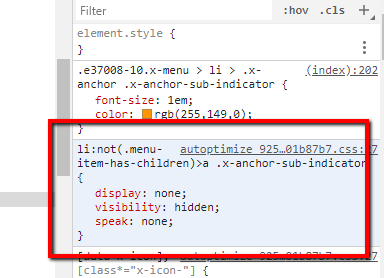
Hi @team4animation,

Thanks for writing in.

I believe that there is plugin that causing this issue to you. You could try disabling the plugin so that your CSS will work.

Let us know how it goes.

Thanks.

Hi there,

It doesn’t change anything :frowning: Even this morning I disabled all plugins without result.

Do you see anything else I can try?

Thanks!

Hello There,

I am another staff checking in. When I visited your site, I am seeing the icons.

After you regenerate the plugin cache of Autoptimize plugin, you may need to clear your browser cache as well or use private browsing mode instead. To know how you can clear your browser cache, please check this out: https://www.digitaltrends.com/computing/how-to-clear-your-browser-cache/

Hope this helps. Kindly let us know.

Hi there,

No, i’m sorry: Just next (right) to the -Blogs en Vlogs- menu item there are two icons. I don’t see them on your picture. When you hover, you see there is an a tag behind.

Thanks!

Hi,

Upon checking, I can see that you did not include the data-x-icon attribute in your icon code.

See video - https://www.screencast.com/t/KiE83jqy

In Appearance > Menu please change user icon code to

<i class="x-icon x-icon-user" data-x-icon="&#xf007;"></i>

and search icon code to

<i class="x-icon x-icon-search" data-x-icon="&#xf002;"></i>

I got the icon unicode from the link below

http://khan.github.io/Font-Awesome/cheatsheet/

Thanks

Yes!! That was the problem. Thanks a lot.

Glad we were able to help :slight_smile:

This topic was automatically closed 10 days after the last reply. New replies are no longer allowed.