Menu Alignment Off

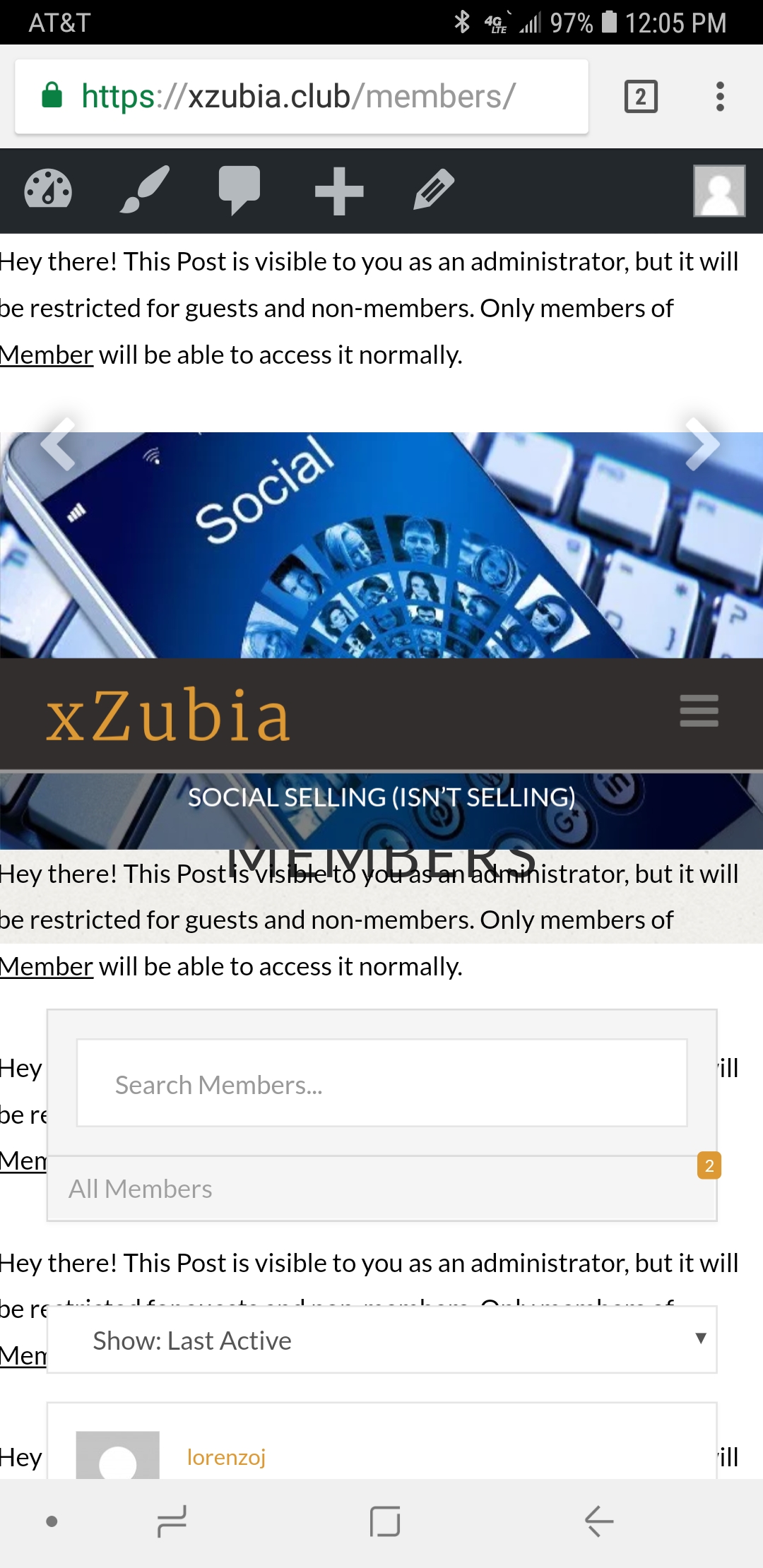
I switched between the “Inline” and “Stacked” option to test the menu placement and now it covers up the title for the post carousel.
It was either that or I removed the bbpress and buddypress function.

Either way, the menu is not aligned properly. The weird thing is, It only happens when login as an administrator. It’s not much of a priority because the member side works, I’m just worried that others may see this issue on their devices as well.
Hi @lordenzoj,

Thanks for writing in.

In that case, we’ll need to check it too while logged in. Would you mind providing your admin login credentials in a secure note? I don’t see anything wrong in the front.

Thanks!

Ok, thanks! It seems to be only effecting my admin account and not my test user.

While you’re in there any chance you can fix this issue too?

I attempted to add the code but got a warning message that the site would not save without fixing 2 errors in the code. I’m on my mobile and don’t have access to a desktop for a while which is why I haven’t responded to the original post.

Just wondering :grin:

Hello @lordenzoj,

Thanks for updating the thread. :slight_smile:

On desktop the everything is working fine on my end. However, on mobile the slider navigation arrow is bit off. Please try adding following CSS under X > Theme Options > CSS:

.slick-prev, .slick-next {
    top: 90px;
}

Please try adding following CSS under X > Theme Options > CSS to change sidebar background color:

body .x-sidebar.right {
    background-color: #f0efec;
}

Let us know how it goes.

Thanks.

Neither one of those worked.

I found out that it is a conflict with the Woocommerce Membership plugin. When I disable the page/post restrictions, the menu bar works fine and on parts of the website I did not restrict. When I enabled them again. Boom! #Brokesville

Hi @lordenzoj

I’ve checked your website and I can see you have added this code to (X > Theme Options > CSS):

.x-content-sidebar-active .x-container.main:before {
    right: 0;
    width: 100%;
}
.x-sidebar.right {
    background: #000000;
}

I can see these codes are working fine, let us know if you still need help with any of them.

Regarding the WooCommerce Membership plugin conflict, if this plugin just shows this notification message when any of the posts is hidden from other users than admins, and this notification message is causing the post carousel to look broken, then I wonder if hiding these messages will be a considerable work around for now? if so, this is the CSS code needed to do that:

.x-post-carousel .woocommerce-info {
    display: none;
}

Thanks.

This topic was automatically closed 10 days after the last reply. New replies are no longer allowed.