MEC Options

Hi,
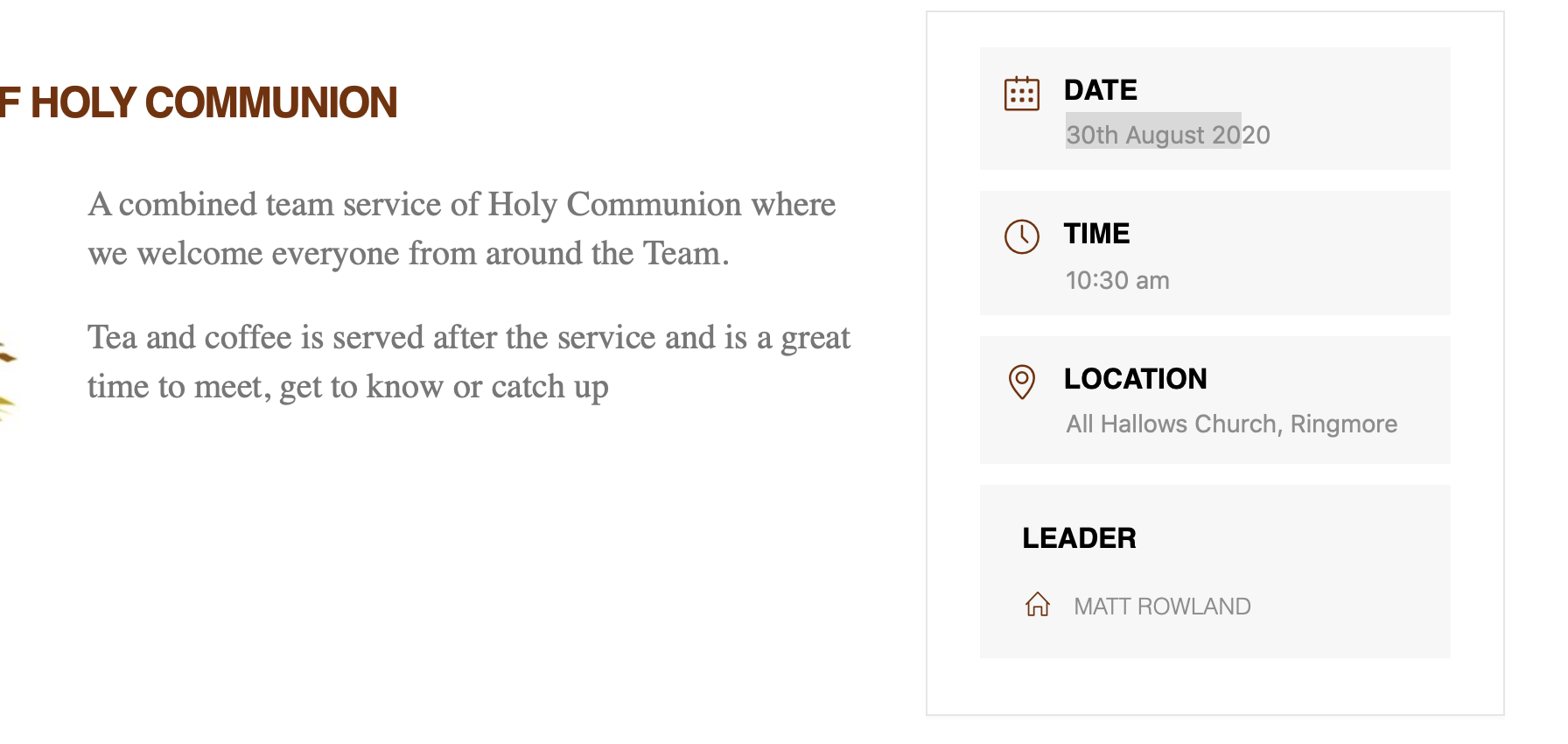
In an earlier version of MEC, I set the Organiser to show ‘Leader’, and I cannot recall where I set this. I thought it was in Messenging options. However I am now using the latest version and in the Messaging options, nothing is set. My problem is, as you can see from the attached image, the icon is in the wrong location, the leaders name is in Block Caps and in the wrong font. Any ideas please??
Hey Alex,

It looks like Webnus, MEC’s developer decided to move the icon. Would you mind giving us WordPress Admin access in a Secure Note so we could see your setup and try to replicate it on our end?

Thanks.

Hi Christian

Ok I’ve set that up - hopefully it’ll work

Alex

Hi
I have a number of events that reoccur and this is set up within the event and works Ok. However on the Single Event Page the Next Occurrence block is showing, and I am trying to remove that and cant see how to do this.
Apologies for all the questions on MEC
Alex

Hi I have managed to fix the first problem thanks - found the fix on a forum. Still looking for a fix for the second issue

Thanks

Hey Alex,

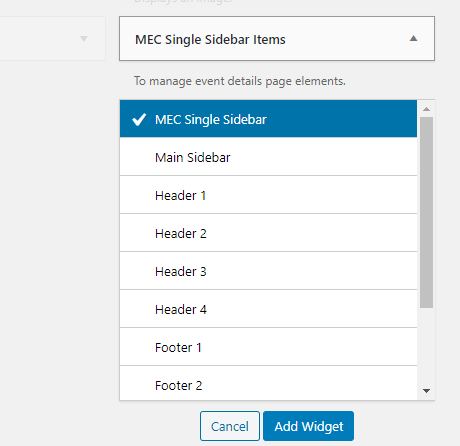
It looks like the only way to remove that is to customize the MEC Sidebar. Go to Appearance > Widgets and MEC Single Sidebar Items widget to MEC Single Sidebar Widget Area.

Though not recommended, alternatively, you can hide the module using custom CSS. Please just note that custom coding goes beyond the normal scope of theme support. I’ll show you the code but this is only to make you aware where to put override CSS in our theme. If you need to customize MEC further, you need to hire a developer and give the developer instructions as to where to put CSS codes.

Add the CSS below in Theme Options > CSS.

.mec-single-event .mec-next-event-details  {
    display: none;
}

Hope that helps.

Great thanks

Alex

We are delighted to assist you with this.

Cheers!

This topic was automatically closed 10 days after the last reply. New replies are no longer allowed.