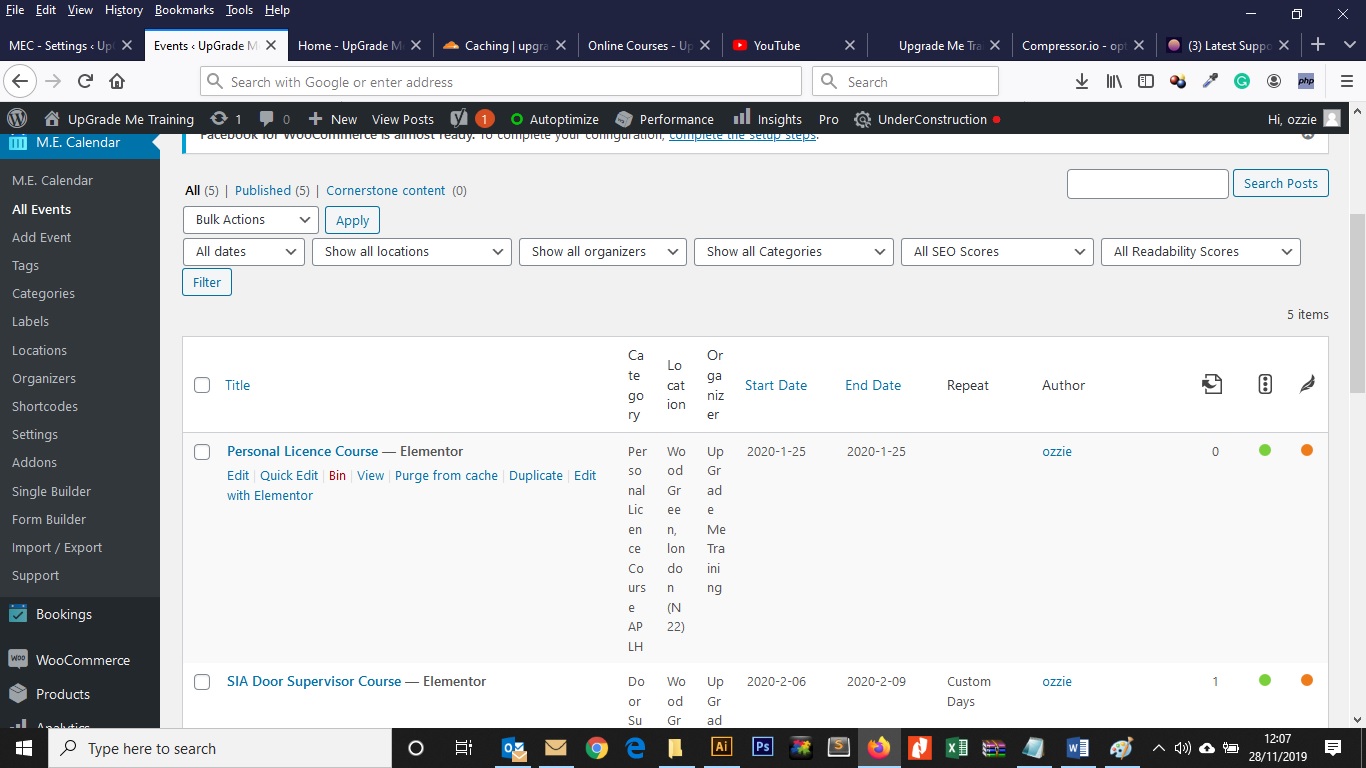
the events table first column is too wide so it squashing other details up.I can adjust it by changing the css
body.post-type-mec-events th.column-primary {
	width: 35%;
}
Changing the width to 20% however, I cant seem to do this by adding it to the theme editor under Apperance option in wordpress. i am using a child theme so id like to place it there so i dont need to change every time i update xpro.
can someone please advise on why it wont do anything when i place the CSS in theme editor under the appearance option in wordpress.
here is a screen shot of how it looks