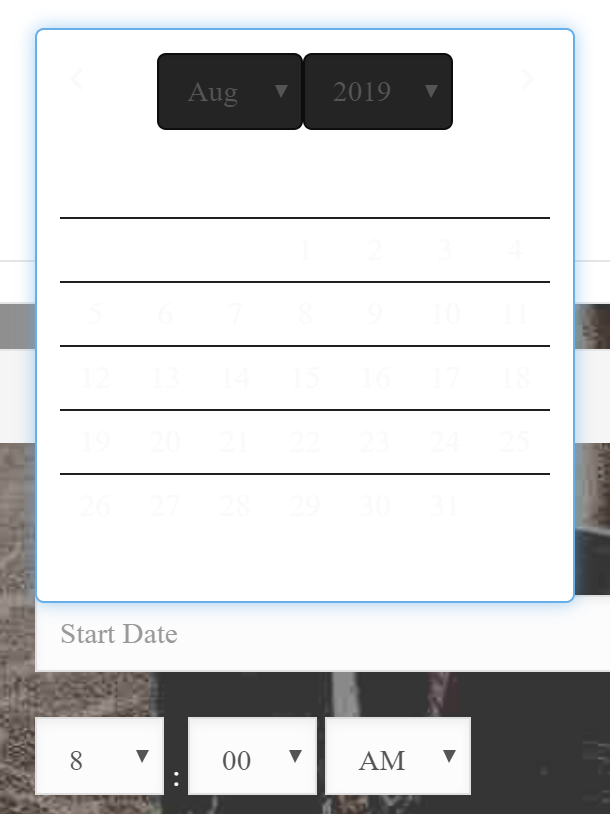
It seems that something has messed up my custom css. I have all of these in the them option CSS
.x-navbar .desktop .x-nav > li ul {
top: 60px !important;
}
.x-navbar .desktop .sub-menu {
width: 120px !important;
min-width: 0 !important;
background-color: #272727;
}
body.x-navbar-fixed-top-active .x-navbar-wrap {
height: auto !important;
}
.entry-wrap {
background-color: rgba(255, 255, 255, 0.20);
}
.um-field-checkbox-option, .um-field-radio-option,
a.um-link-alt,
.um-login {
color: red !important;
}
.mec-single-modern .col-md-4 .mec-frontbox {
margin-top: 20px !important;
}
h1.mec-event-title a {color: #ffffff !important;}
h2.mec-event-title a {color: #ffffff !important;}
h3.mec-event-title a {color: #ffffff !important;}
h4.mec-event-title a {color: #000000 !important;}
.mec-single-title {
color: #000000 !important;
background: #f7f5f4!important;
}
.mec-month-divider{
color: #000000 !important;
background: #808080!important;
}
.mec-event-title {
color: #000000 !important;
}
.mec-event-detail {
color: #000000 !important;
background: #f7f5f4!important;
}
.mec-event-time {
color: #000000 !important;
background: #f7f5f4!important;
}
.mec-agenda-day {
color: #000000 !important;
background: #f7f5f4!important;
}
.mec-agenda-date {
color: #000000 !important;
background: #f7f5f4!important;
}
.mec-events-content {
color: #000000 !important;
background: #f7f5f4!important;
}
.mec-event-d {
color: #000000!important;
}
.mec-event-more-info {
background: #FE0252!important;
}
.mec-event-more-info i:before {
color: #c6d9eb!important;
}
.mec-event-more-info a {
color: #c6d9eb !important;
}
.mec-event-more-info a:hover {
color: #b8b8b8 !important;
}
.mec-event-footer
{
background: #AEAAAA;
}
.mec-totalcal-box
{
background: #669999 !important;
}
.mec-event-description {
color: #000000 !important;
background: #f7f5f4!important;
}
.mec-event-address {
color: #000000 !important;
background: #f7f5f4!important;
}
.mec-venue-details {
color: #000000 !important;
background: #f7f5f4!important;
}
.mec-time-details {
color: #000000 !important;
background: #f7f5f4!important;
}
Now the colors are all off an hard to read. FYI… This forum has the same problem now. Headers are white with an off white background