Masonry Layout for Blog Archives Not Displaying Last Column

Hello!

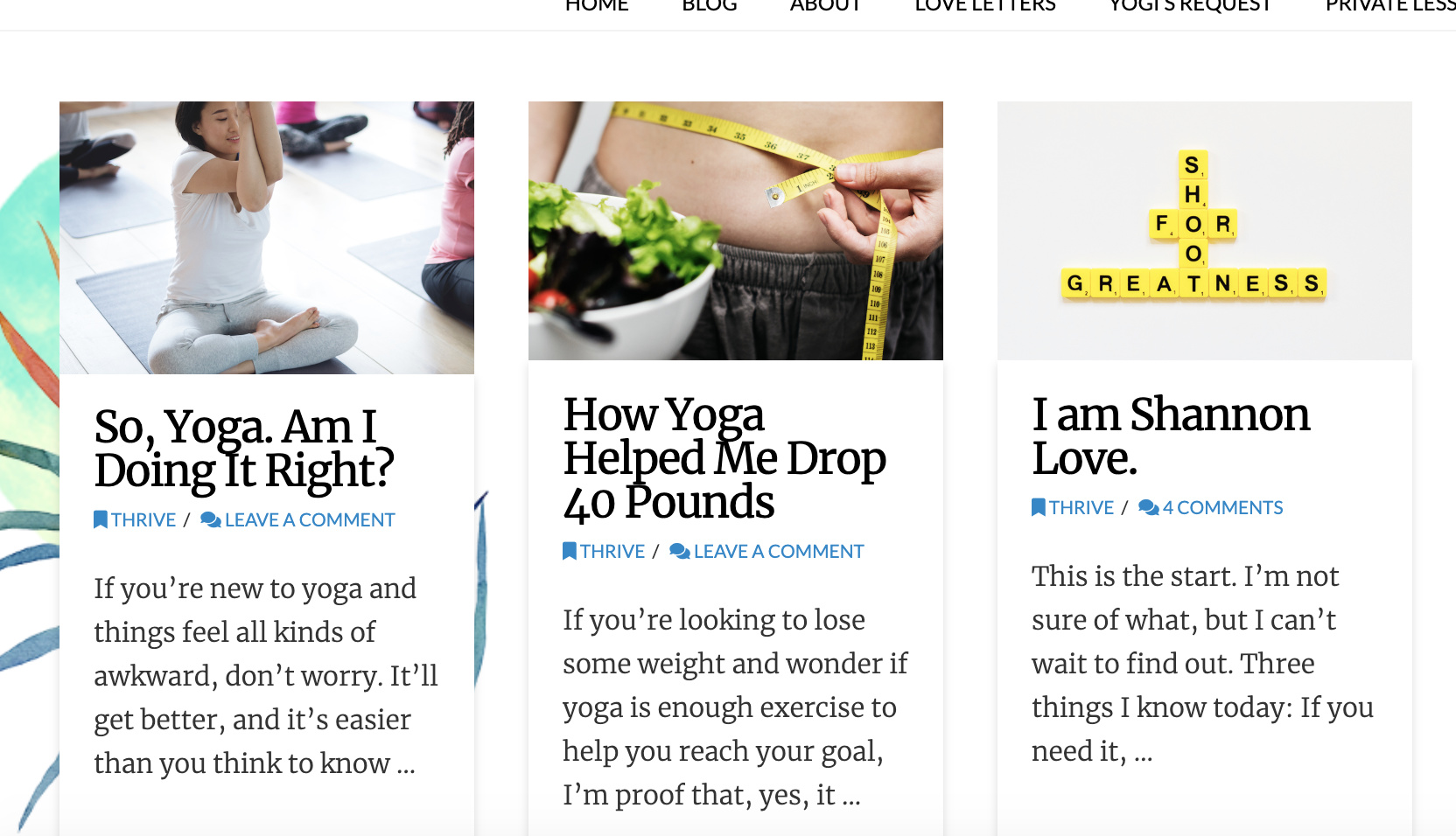
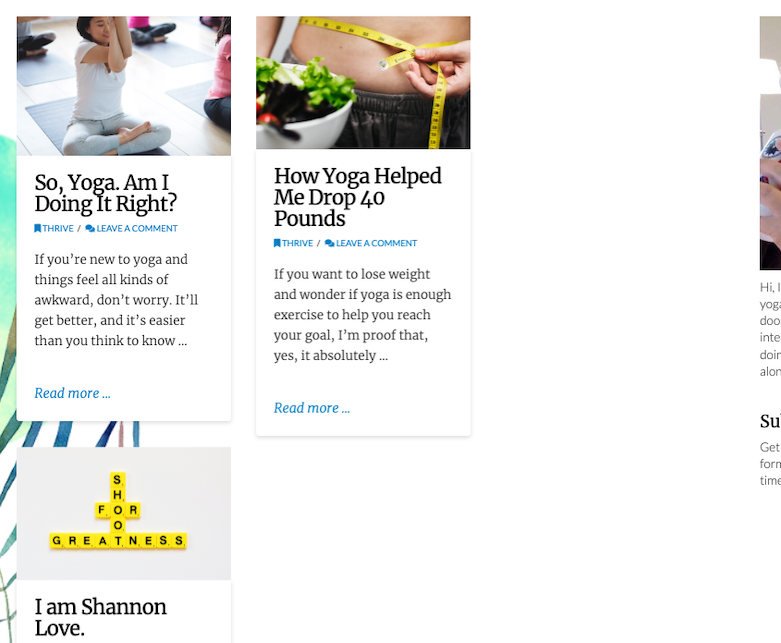
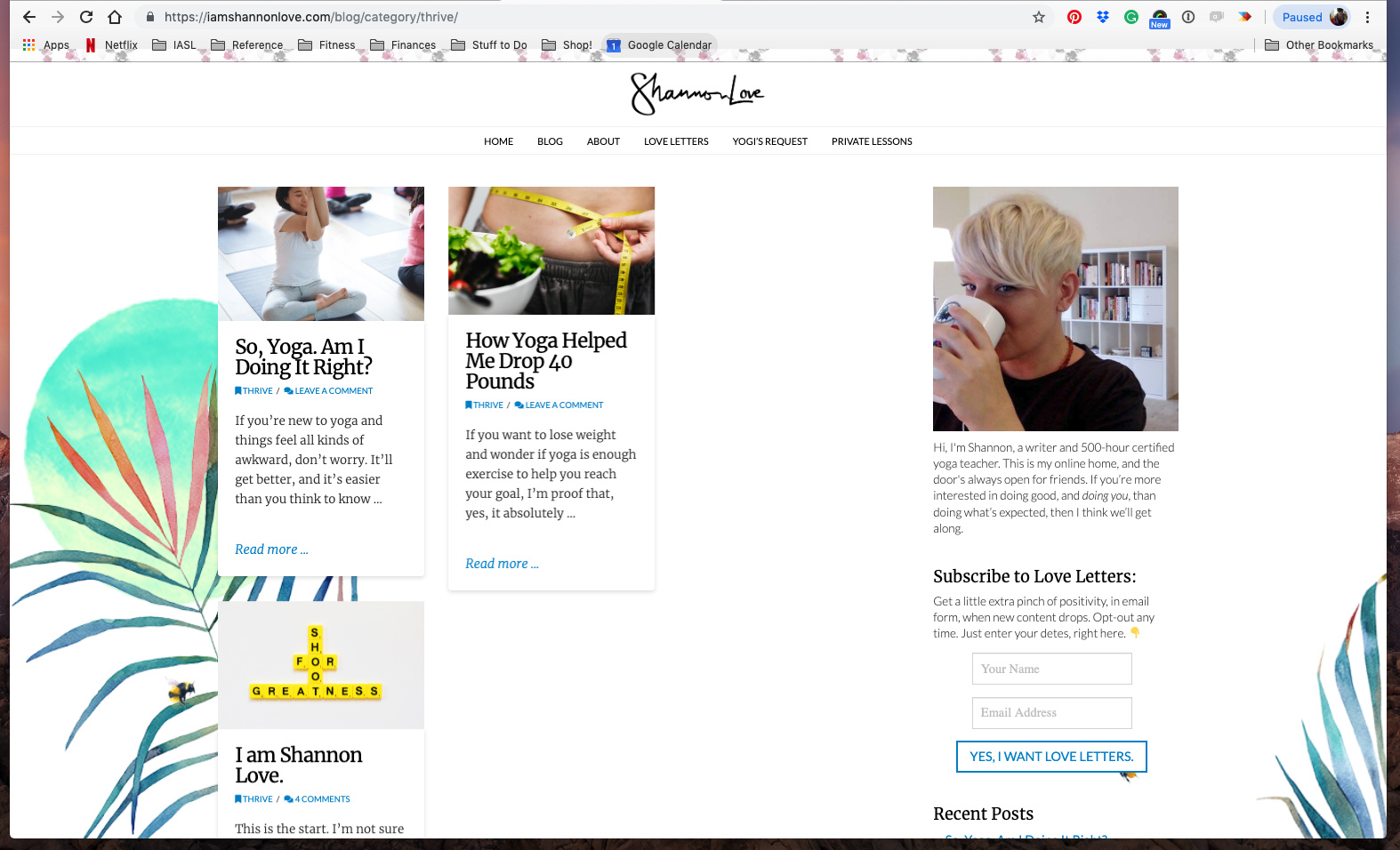
When I set my blog archives or main blog to “masonry” layout, my posts won’t display in the last column to the right. For example, if I choose the 2-column layout, posts only show in the first column. If I choose the 3-column layout, my posts only show up in the first two columns.

See an example here:

Summary

https://iamshannonlove.com/blog/category/thrive/

Thank you for your help!
Shannon

Hi Shannon,

Can you please send us with some screenshots describe your issues?

Currently, I could see that you’ve set the layout to 3 columns and it looks good:

Thank you.

Hi @thai, wow, that’s so weird! Yes, of course. Here’s what I see (This is Chrome on a Macbook Pro (latest version of both. I see that the blog displays correctly when I view it in Safari. So weird! Is there a fix?):

Hi Shannon,

I checked in Macbook Air chrome and it seems to look fine as well.

Can you try clearing your chrome browser cache then check again.

Thanks

Hi there, I cleared my cache in Chrome. I’m using a Macbook Pro, software is up to date, and Chrome, also up to date. I still see this issue. (See screenshot, below.)

The strange thing is that, when I re-size the window to make it more narrow, the bottom blog post floats back up to the top of the third column. But, when I make the window a normal size for my screen, it moves back down below. :confused:

Hey Shannon,

What is your screen resolution? I am using iMac with 1920x1200 screen resolution and I was not able to replicate your issue. Every thing seems perfect on my end.

Please let us know.

I believe my monitor is 1080p (for my laptop screen and my external monitor.)

But I just noticed something … I had Chrome set to zoom at 90%. When I view at 100%, the column works just fine. I’m sorry I didn’t think to try that earlier! (I just got a new external monitor, and everything seemed HUGE, so I zoomed out to 90% to make things look smaller/more normal.)

:stuck_out_tongue_winking_eye:

Hello @Shan_HBG,

We are just glad that you have figured it out what might have cause and a way to correct the said issue.
Thanks for letting us know!

Best Regards.

1 Like

This topic was automatically closed 10 days after the last reply. New replies are no longer allowed.