Margins/padding on home page

Hi,

I’m working on the following website:

I’d like to increase the margins/padding on some of the sections on the home page.

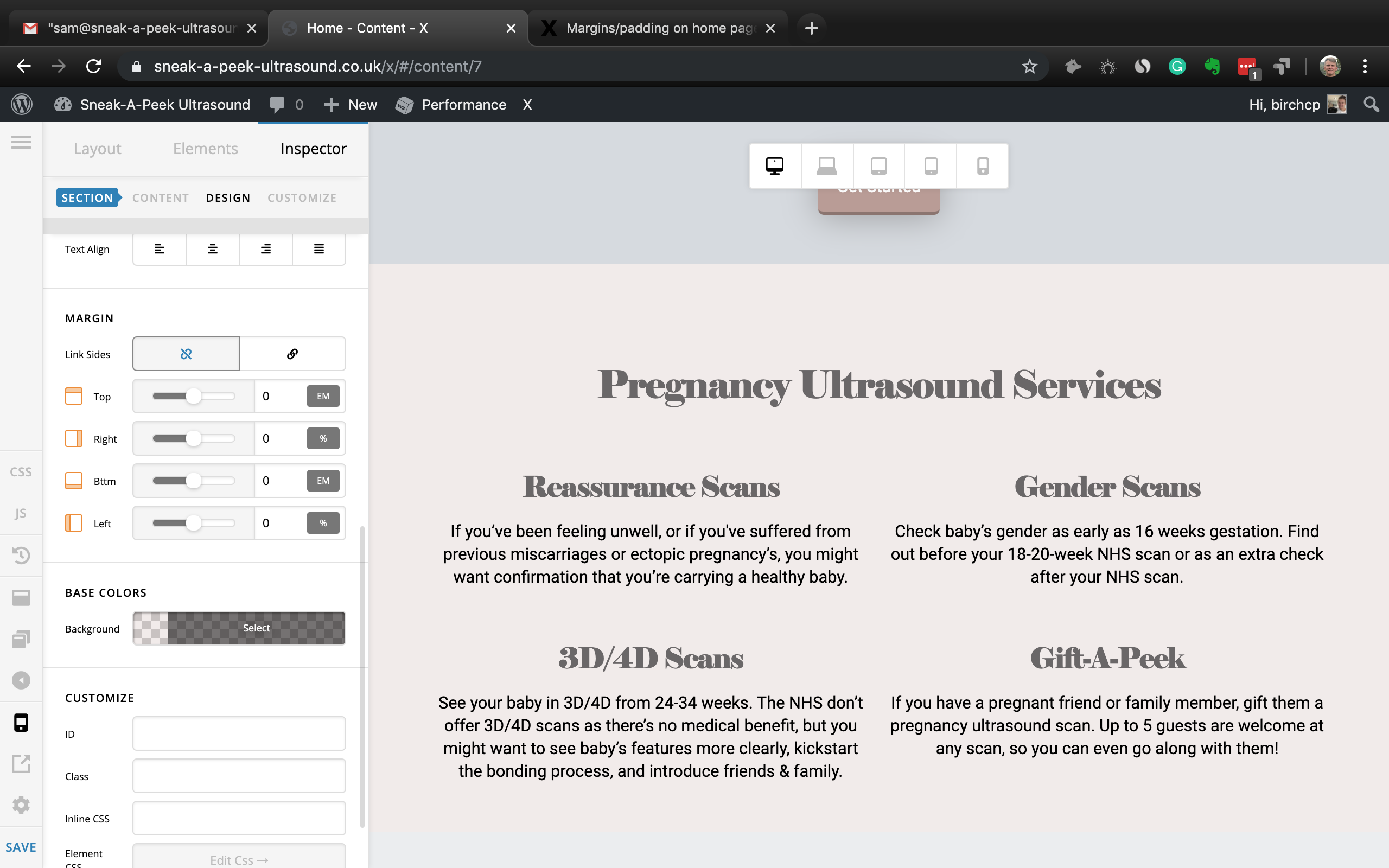
I tried adding margins to the section but it applied it to the background as well, leaving white space around the section.

Does that mean I need to add padding as opposed to margins? If so, how do I do that? And how do I apply it to different screen sizes?

Thanks!

Callum.
Hi Callum,

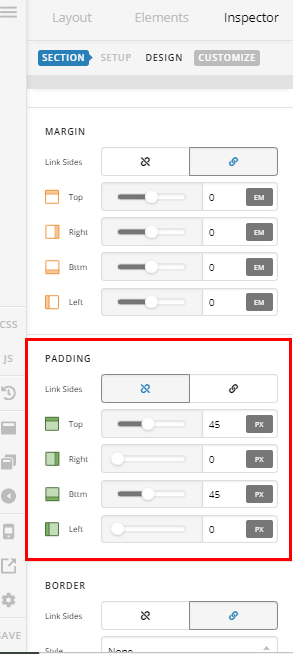
Thank you for writing in, yes that is correct you need padding. The section has a padding option as well so you can apply it easily.


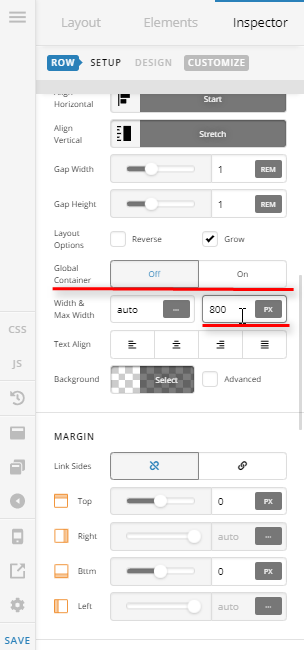
But huge padding will create an issue for you on mobile view. So I would advise to play with the Row’s max-widthinstead. Inspect your ROW and Turn Off the Global Container option and themax-width` setting will show.


Hope it helps,
Cheers!

Thanks.

Max-width works great. Thanks.

For future use, however, I don’t have the padding option… only margin:

Do you know why that is, and what I can do about it?

Hello Callum,

You are now see the padding option because Advanced Mode is turn OFF. Please go to X > Settings > Permissions > User Preferences and set the “Advance Mode” to Always ON.

Kindly let us know how it goes.

This topic was automatically closed 10 days after the last reply. New replies are no longer allowed.