Margins on headers

Hello,

I understand that each element has margins that can be specified for headers. However instead of saving this as a preset i want to edit the css globally so I can make wide changes all at once if needed.

How would I edit the top and bottom margins in the css so it over writes what is written in the object?

Example page is in the secure note.

I want to add ONLY to blog posts h2 and h3 tags (not any others)
margin-top: 1.5em;
margin-bottom: 1.5em;

Thanks!

Hey @fxground,

Thanks for writing in!

Are you trying to reduce the space here right above the headline?
Screen Shot 2020-12-17 at 11.46.40 AM

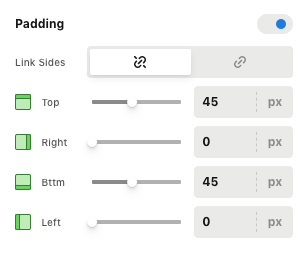
The spaces are actually coming from the default top and bottom of the section element. Please edit the page and set the padding to 0 or at least adjust the padding decent enough to have space in between your sections.

Screen Shot 2020-12-17 at 11.48.54 AM

Best Regards.

Thanks, actually I want to add a bit of space above the header lines (so that H2 and H3 have space just above them) but nothing below them…

I’ve since figured this out. thanks…

Ok, glad to hear that, @fxground!

This topic was automatically closed 10 days after the last reply. New replies are no longer allowed.