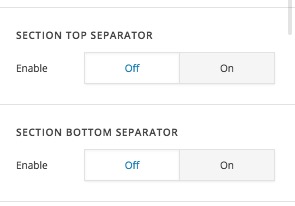
Margin-Top underlaps section separator

So I have one section and then a section under it. The second section has a larger image that I used margin-top: -350px; to overlap into the section above it.

But I also have a section top separator on the bottom section which created this:

Is there a way to place my image over the section separator? or get rid of those lines on the image?

Thanks
Hi there,

You need to disable the angle/curve option in the separator as that option is only working if you have a solid color as a background. You tricked the section to go over the other section but that does not have any effect on the fact that you can not have a background image behind the angles/curve, that will not work.

Thank you for your understanding.

1 Like

Hey Christopher,

I didn’t trick the sections to overlap. I simply made the image move up higher.

The section with the separator ON does not have a background image, the color is white. So based off what you said there shouldn’t be a line.

I’d still need that white line moved off the image. Thanks!

Hi there,

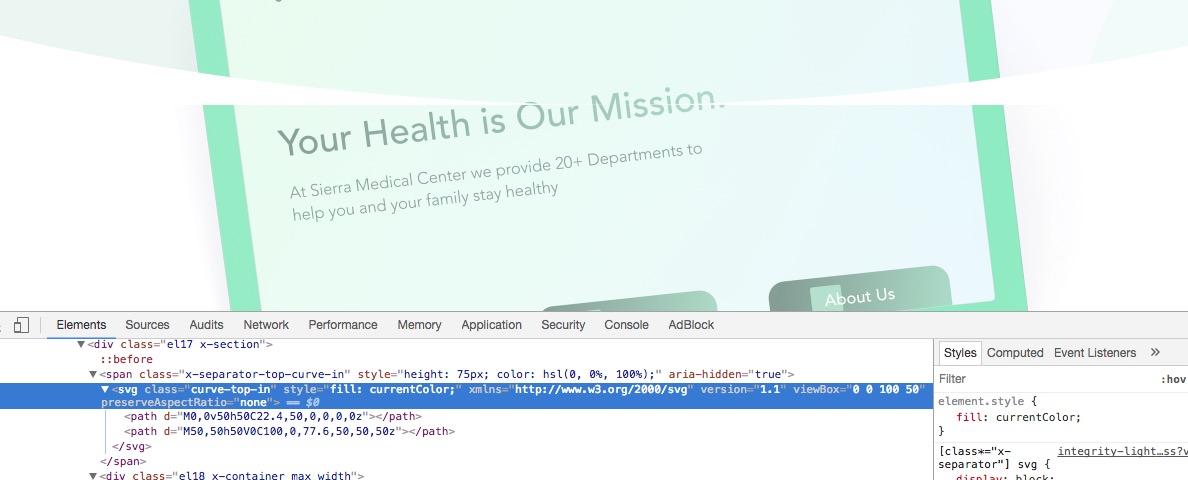
It seems that we are not on the same page. You added a curve to a section and as I mentioned the curve and angles are only working for a single color, that is why you see that white color line, that is because there is an SVG image created automatically to show that curve in white color. Here is the generated code:

I changed the fill color of the SVG image on my browser temporarily using the developer toolbar so that you will understand how that section works:

Now if you want to remove that you simply need to remove the separator:

Thank you.

1 Like

Okay fair enough. Is it possible that there will be a fix for this in the future? it would be nice to have an image there.

Hello There,

We’ve added this as a feature request so it can be taken into consideration for future development.

Thanks for understanding.

1 Like

This topic was automatically closed 10 days after the last reply. New replies are no longer allowed.