Map Feature Images Being Compressed Automatically

Hello,

My issue is very similar to the one in this thread.

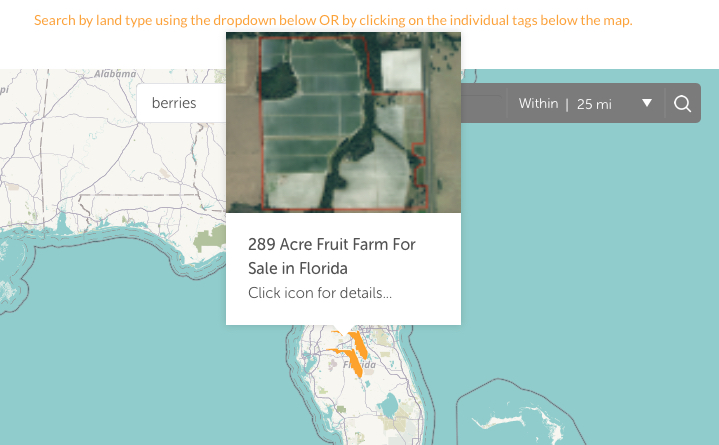
When I upload feature images to my map plugin, they are compressed automatically. I have tried uploading larger images and uploading as different file types including JPG, PNG and GIF. Each time the map images appear very blurry. I will attach the URL of the actual image and how it appears with a mouseover on the map. The plugin make had no solutions. Thanks for any feedback you can offer.
Hello There,

Thanks for writing in!

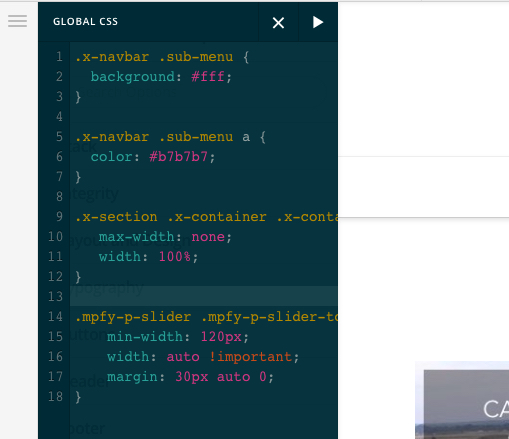
It seems that you have an issue with a 3rd party plugin Mapify Pro. A certain css styling coming from that plugin makes your image blurry. To resolve it, please add the following CSS code in the X > Launch > Theme Options > Global CSS (http://prntscr.com/evui3r)

.mpfy-p-slider .mpfy-p-slider-top .holder img {
    min-width: 120px;
    width: auto !important;
    margin: 30px auto 0;
}

Please let us know how it goes.

Hello RueNel,

Really appreciate your help. Should my Global CSS look like the attached? I just wanted to confirm with you before Saving.

Thank you!

Hey There,

Yes you are on the right track. Saved it and view your site. If the changes were not taking effect, you probably have caching plugin installed. Please clear your plugin, browser cache or use private browsing mode and test your site again.

Hope this helps.

Hello RueNel,

I added the custom CSS and have tried viewing in private browsing mode but all of the images still appear blurry. The images I uploaded today are all PNGs with dimensions of 350x200.

Can you see the map link attached and tell me if you are seeing the same thing? Thanks for any feedback you can provide if I need to make other modifications to the CSS.

Hi again,

I checked your map page, the plugin is resizing your images to 100X57px that’s why the images get blurred when viewed in a bigger image container. To fix this, you can add the following script in your Customizer via Appearance > Customize > Custom > Edit Global Javascript

jQuery(document).ready(function($){
	$('.mpfy-tooltip').each(function(){
		var src = $(this).find('.mpfy-tooltip-image img').attr('src');
		var arr = src.split('-100x57');
		
		var image = arr[0] + arr[1];
		
		$(this).find('.mpfy-tooltip-image img').attr('src', image );
		$(this).find('.mpfy-tooltip-image img').attr('width', '' );
		$(this).find('.mpfy-tooltip-image img').attr('height', '' );
	});
});

Don’t forget to clear your browser’s cache after adding the code. Let us know how this goes!

Hello Nabeel,

Thank you very much for the solution you provided. It worked perfectly.

Best regards

You’re welcome!
We’re glad we were able to help you out.

This topic was automatically closed 10 days after the last reply. New replies are no longer allowed.