Hi. How do I make the text from a quote mobile-responsive? Here’s my link to the page: www.experiencethesprings.com
Hello @jhayles,
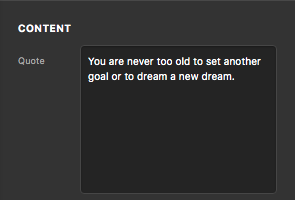
Thanks for posting in! Please edit your page and in your Quote content, kindly remove any of the heading tags. You should ONLY add plain text and no HTML codes.
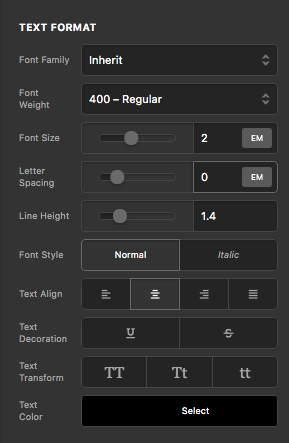
You can then adjust the font size and text color using the Text Format options in the element settings, Quote > Text.
Kindly let us know how it goes.
Okay. And how do I make that text mobile-responsive?
Hi @jhayles,
If you set the font size to em it will automatically fit on the mobile and you won’t have any text mobile responsive issue.
Hope that helps.
Thank you.
I did what you said, and the font size is EM, but it still looks really big on mobile…see screenshot
Nevermind. I did a calc(5vw + 28px) for the font and it looks great on mobile.  Thanks!
Hey @jhayles,
It is good to know that you have figured out a way to correct the said issue.
We really appreciate for letting us know!
Best Regards.
This topic was automatically closed 10 days after the last reply. New replies are no longer allowed.