Hello!
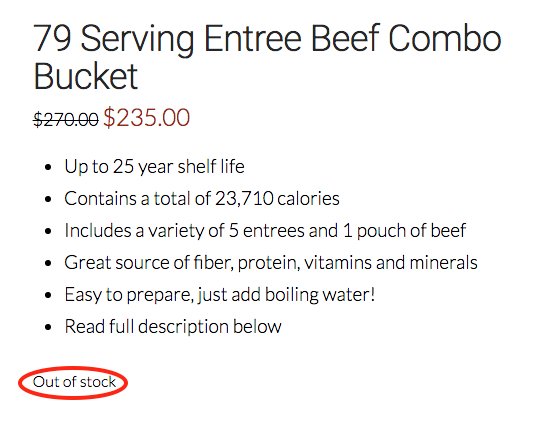
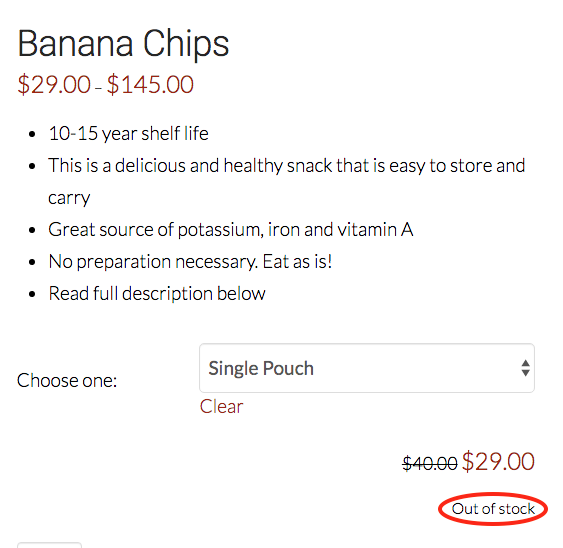
I was wondering if it was possible to make the text (circled in red) match the size of the other text. Also, is it possible to change the text to all capital letters and the color to red (#a82e2e)?
Thank you for all your help 
Hello!
I was wondering if it was possible to make the text (circled in red) match the size of the other text. Also, is it possible to change the text to all capital letters and the color to red (#a82e2e)?
Thank you for all your help
Hi Nadia,
Please try adding the following CSS under Theme Options > CSS:
p.stock.out-of-stock {
    text-transform: uppercase;
    color: #a82e2e;
    font-size: 19px;
}
Hope it helps
Yes it worked! It looks so much better, thank you!
Is it possible to make the text bold?
Thanks so much
Hi Nadia,
Yes, you can add font-weight:bold; to the CSS code provided above.
p.stock.out-of-stock {
    text-transform: uppercase;
    color: #a82e2e;
    font-size: 19px;
    font-weight: bold;
}
Hope it helps,
Cheers!
That worked!
Thank you so much!!
You’re most welcome!
This topic was automatically closed 10 days after the last reply. New replies are no longer allowed.