Hi. I am using a Featured Image in my posts that are 200x200 pixels. But when you click on the post to go to its dedicated page, the image is huge (and of course, pixellated too). How can I make the image on the post page smaller? Thanks!
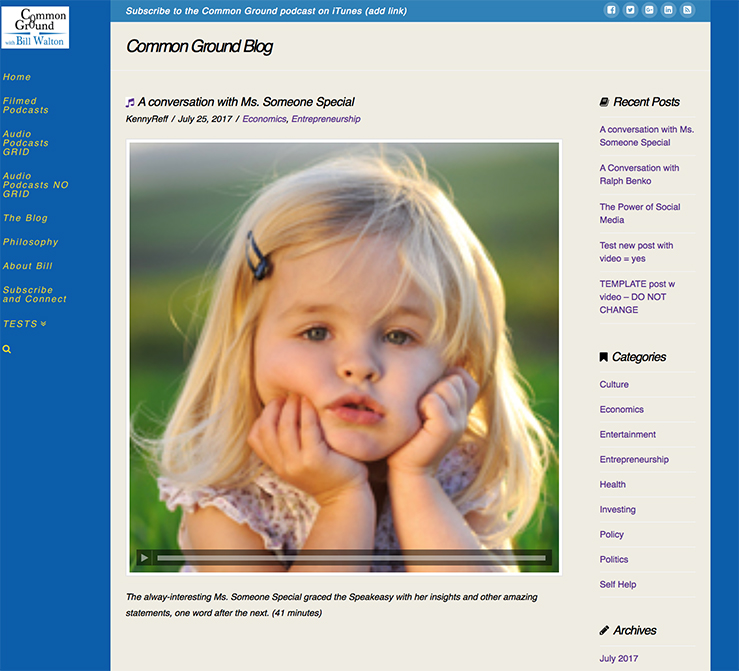
Hi. I am using a Featured Image in my posts that are 200x200 pixels. But when you click on the post to go to its dedicated page, the image is huge (and of course, pixellated too). How can I make the image on the post page smaller? Thanks!
Hi There,
Thanks for writing in! To assist you with this issue, we’ll first need you to provide us with your URL. This is to ensure that we can provide you with a tailored answer to your situation. Once you have provided us with your URL, we will be happy to assist you with everything.
Thank you.
Hello There,
You can add following code to fix the problem:
.entry-thumb img {
    min-width: inherit;
 }
Thanks.
Thank you, but where exactly do I add that code?
Hi again,
You can add the above CSS code in the Theme Options > Global CSS or in the Customizer via Appearance > Customize > Custom > Edit GLOBAL CSS
Hope this helps!
That did it. Thanks!
You are most welcome. 