Making a classic headline into a hyperlinked piece of text

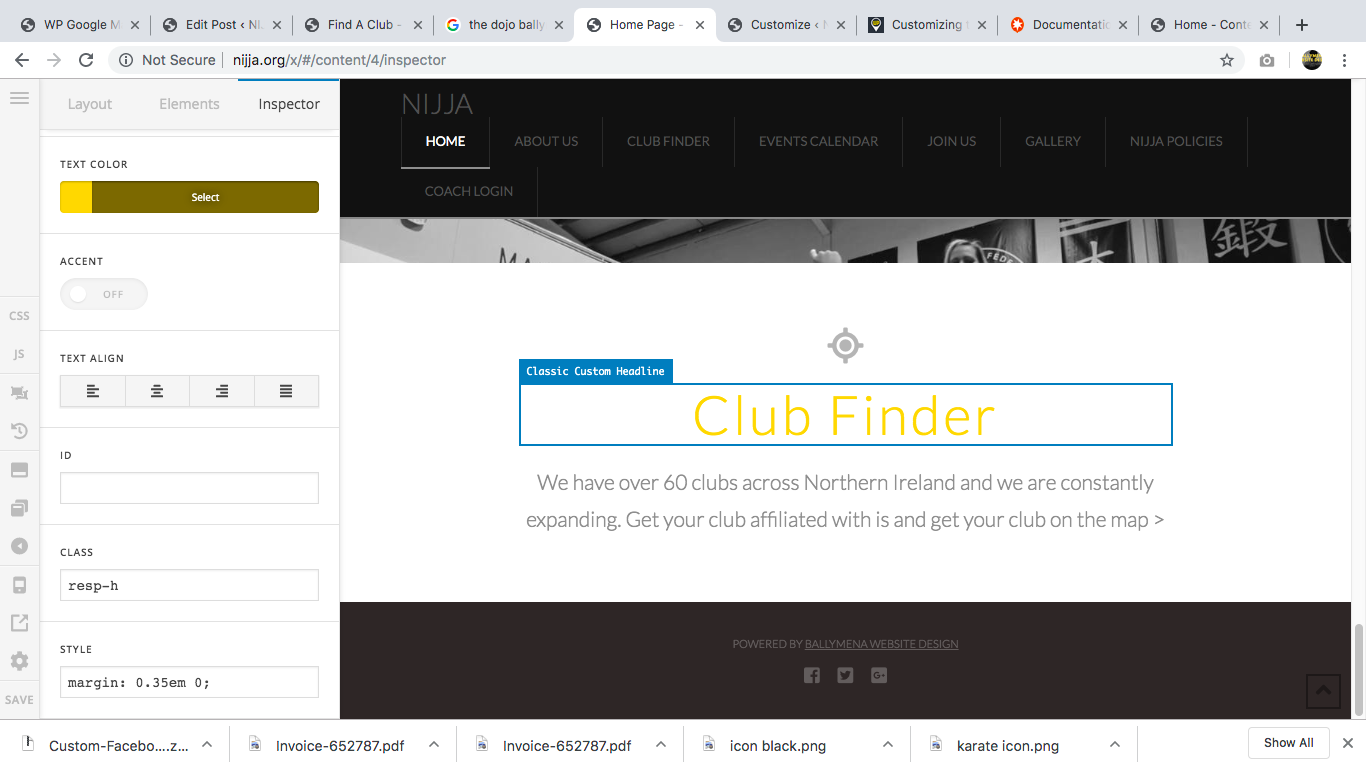
Hi, Thankyou for a great product and support. I love Theme X. Now, this one is pretty straight forward, but I am really really struggling and have now given in to sending this support request. I simply want to make the text " Club Finder" hyperlinked to a page on my site. It is a classic headline text so can I place code in the section to the left in either the ID, Class or STYLE to do this? If so could you give me an example of what that code might look like.

So sorry if this is v basic, but its got me stuck.

Thankyou
Hello Gareth,

Thanks for writing in!

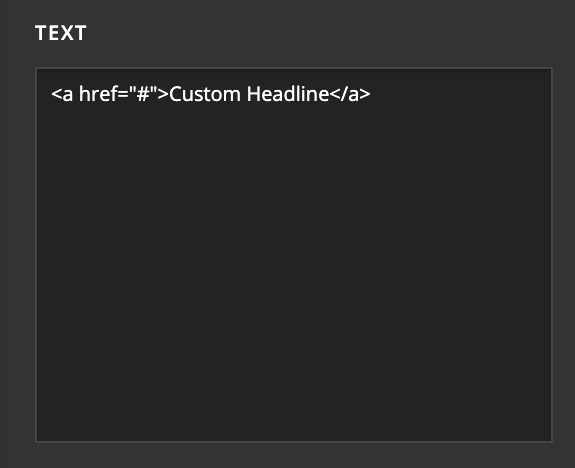
In the Text box of Classic Headline element you need to enter the HTML link code to hyperlink the text. Here’s a example. Please replace # with the URL of the page where you want to headline to link.

<a href="#">Custom Headline</a>

To lean more about HTML link element, please refer following resource.

https://www.w3schools.com/html/html_links.asp

Thanks.

Hi Prasant,
Thankyou so much. That makes perfect sense. Thankyou for taking the time to help a clumsly developer like me. Thankyou

Glad we could help.

Cheers!

This topic was automatically closed 10 days after the last reply. New replies are no longer allowed.