Question X-theme. See also attachment.
- Blanc circle? Can you put it away?
- Can I put the icons a bit to above?
- So the grey block can be smaller? How can i make the block smaller hight?
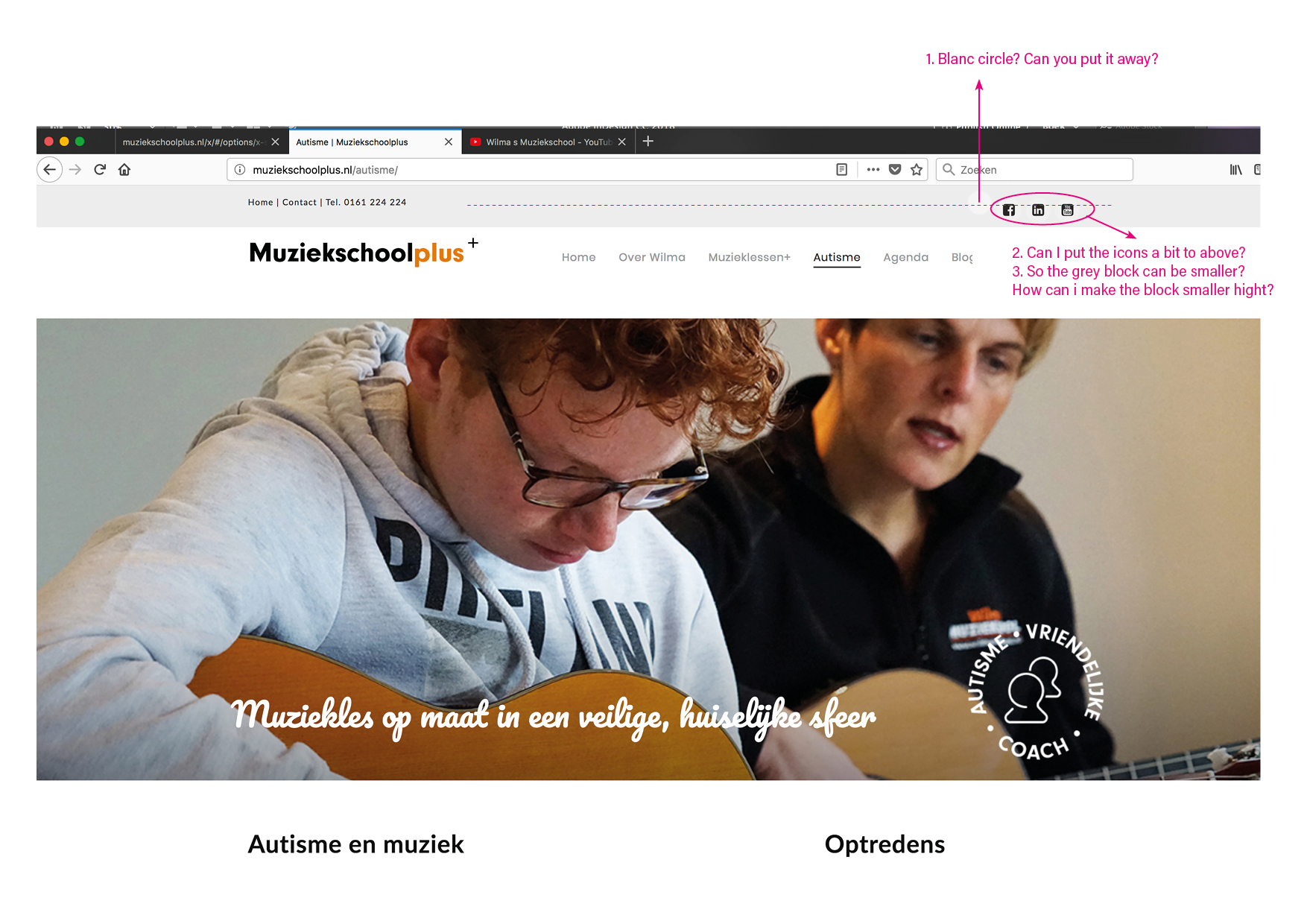
Question X-theme. See also attachment.
Hello @CarlavandenOuweland,
Thanks for asking. 
Can you please share website URL for us to take a closer look?
Thanks.
Hi There,
Your website is under construction mode.
Would you mind providing us with login credentials(by clicking on the Secure Note button at the bottom) so we can take a closer look? To do this, you can make a post with the following info:
Thanks.
Hi There,
1.) Use the following CSS. Add it on Theme Options > Global CSS:
.x-topbar a:hover {
    background-color: transparent !important;
}
2.) It should be aligned by default. Go to Theme Options > Header > Topbar content. Phone number is missing it’s closing link tag </a>. This missing tag cause alignment issue.
<a href="http://muziekschoolplus.nl">Home</a> | <a href="http://muziekschoolplus.nl/contact/">Contact</a> | <a href="tel:0161 224 224">Tel. 0161 224 224</a>
3.) After #2 topbar gray bar height will already decrease. In case you want to decrease height more, please do try adding the following:
.x-topbar {
    min-height: 40px;
    padding-bottom: 0;
}
Hope this helps.
This topic was automatically closed 10 days after the last reply. New replies are no longer allowed.