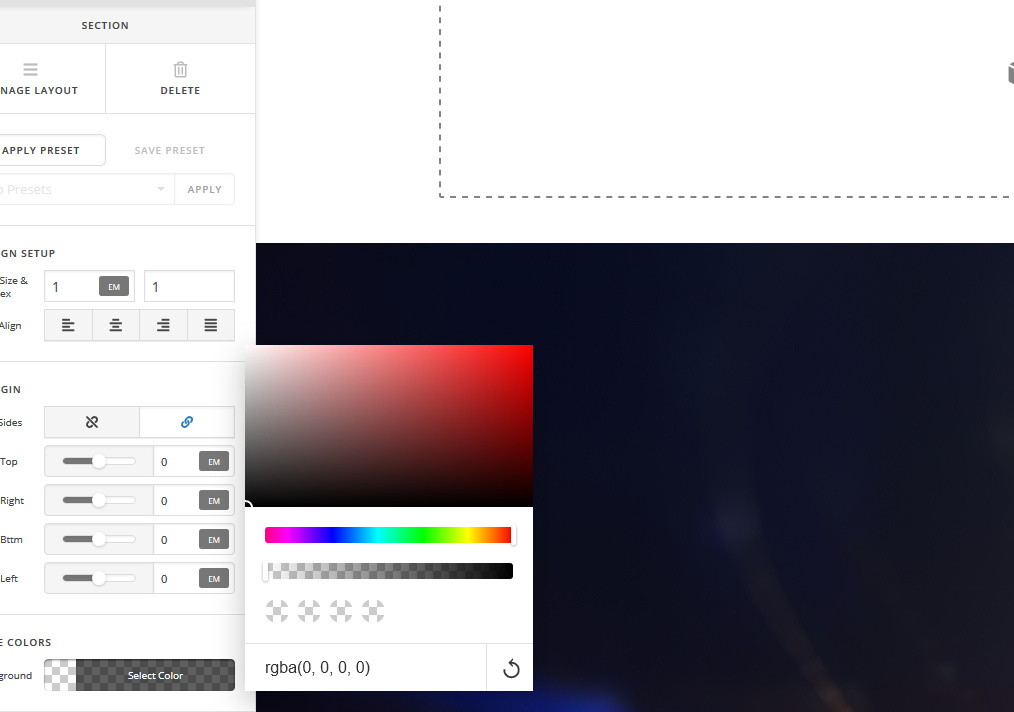
Make section transparent?

Hi,
I searched and saw a few others with this question but didn’t see any straightforward answers that appeared applicable in my case.

I am just getting started with Cornerstone and I have a blank page which has a background image assigned.
When I add a section, it appears white even though the section base color is set to transparent. I can change the base color to any other color but transparent.

How does one go about creating transparent sections? I’m assuming that this is not something that requires editing CSS?

I don’t have a URL to give as I am just starting building this site, but hopefully this is such a basic scenario that this question can be answered in a more global fashion.
Any help appreciated! Thanks!


Hi Darren,

Thank you for reaching out to us. By default the section has the transparent background color. I tried to replicate the setup on my localhost by assigning a background image to a page first and then added a section (see screenshot)

As you see it’s transparent, I then added a text element for further testing (see screenshot)

It worked fine on my end. This could be related to your setup, please check for the following first:

  1. Ensure everything is up to date according to our version compatibility list at https://theme.co/apex/forum/t/troubleshooting-version-compatibility/195. Please follow the best practices when updating your theme and plugins. See https://theme.co/apex/forum/t/setup-updating-your-themes-and-plugins/62 for more details.

  2. If you’re using a caching plugin, clear all caches including browser cache then deactivate your caching plugin and other optimization plugins.

  3. If you’re using a CDN, please clear the CDN’s cache and disable optimization services.

  4. Test for a plugin conflict. You can do this by deactivating all third party plugins, and seeing if the problem remains. If it’s fixed, you’ll know a plugin caused the problem, and you can narrow down which one by reactivating them one at a time.

  5. Remove custom CSS, JavaScript and deactivate your child theme and switch to parent theme (take a complete backup first).

Let us know how this goes!

Hi Nabeel,
Thanks for the reply. The image you posted is exactly what I’m trying to get. So I went through your checklist:

1 - X and cornerstone are both showing that they are up-to-date versions
2- I don’t have a caching plugin, I did flush the Firefox cache however.
3- Not using / familiar with CDN
4 - I disabled all plugins except Cornerstone
5- I am using the X theme and have tried it with the 4 different stacks. I don’t have any additional CSS / javascript anywhere (that I know of). I don’t know how to write CSS or create child themes etc.

Unfortunately it’s still not working and I’m getting white sections instead of transparent ones (again the section base color says it’s set to transparent).

Hi Darren,

First, please make sure that you’re using any of the No Container page template.


If you dont still see the background-image behind your section, please add this to Theme Options > CSS or on the Page > CSS area.

.site, .x-site {
	background-color: transparent;
}

Hope it helps,
Cheers!

This topic was automatically closed 10 days after the last reply. New replies are no longer allowed.