Hi there,
Is the section that contains the centered three logos at the bottom of the page going to be the footer for the rest of the pages too?
If so, this would involve some customization but if this design will just be on the homepage, instead of setting the three logos as a footer of the page, you can just add another row in the Cornerstone content section that will contain the logos then set the Page Template to No Container | No Header, No Footer.
Then. to set the section with the background image fullscreen, add this code to the Element CSS of the section:
$el {
    height: 100vh;
}
Then to make the footer stay at the bottom of the page, add this code to the element CSS of the Row that contains the three logos:
$el {
  position: absolute !important;
  bottom: 0;
  left: 0;
  width: 100%;
}
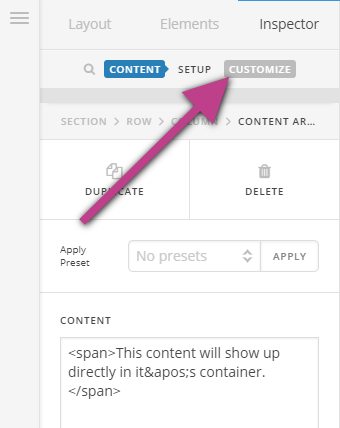
You can find the Element CSS option when you click on the customize option of the Row and Section settings.
In case you are not seeing these options, please make sure the Advanced Mode option in Cornerstone is enabled.

Hope this helps.

