Make elements appear in front when overlapping

I have a column split in two and have an image in one and a button in the other. I have them overlapping. I want to make the button appear in front of the image. It works when I have the button on the left, however, when I try to put the button on the right the image appears in front. How do I make the element on the left seem in front of the element on the right?

Thanks
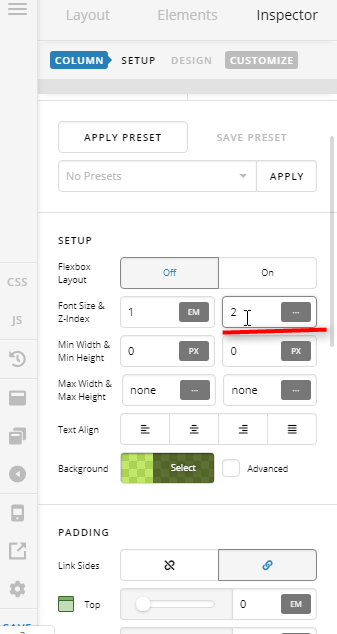
Hi @morelly,

I think the answer to your situation is Z-index property. We need to see your setup to give you exact recommendation and to avoid much back and forth. Please share the URL with this content. Thank you.

Hi Lely,
The URL is;

https://boroniamarine.com.au/

Thanks

Hi Morelly,

We can’t view the site it’s under “Coming Soon” page.

Please inspect both of your columns and make sure that the left column has a higher z-index than the right column.

Cheers!

That worked Thankyou

You are most welcome!

This topic was automatically closed 10 days after the last reply. New replies are no longer allowed.