Hi, Themeco
How do I go about making the content in my topBar centered for all devices?
This content
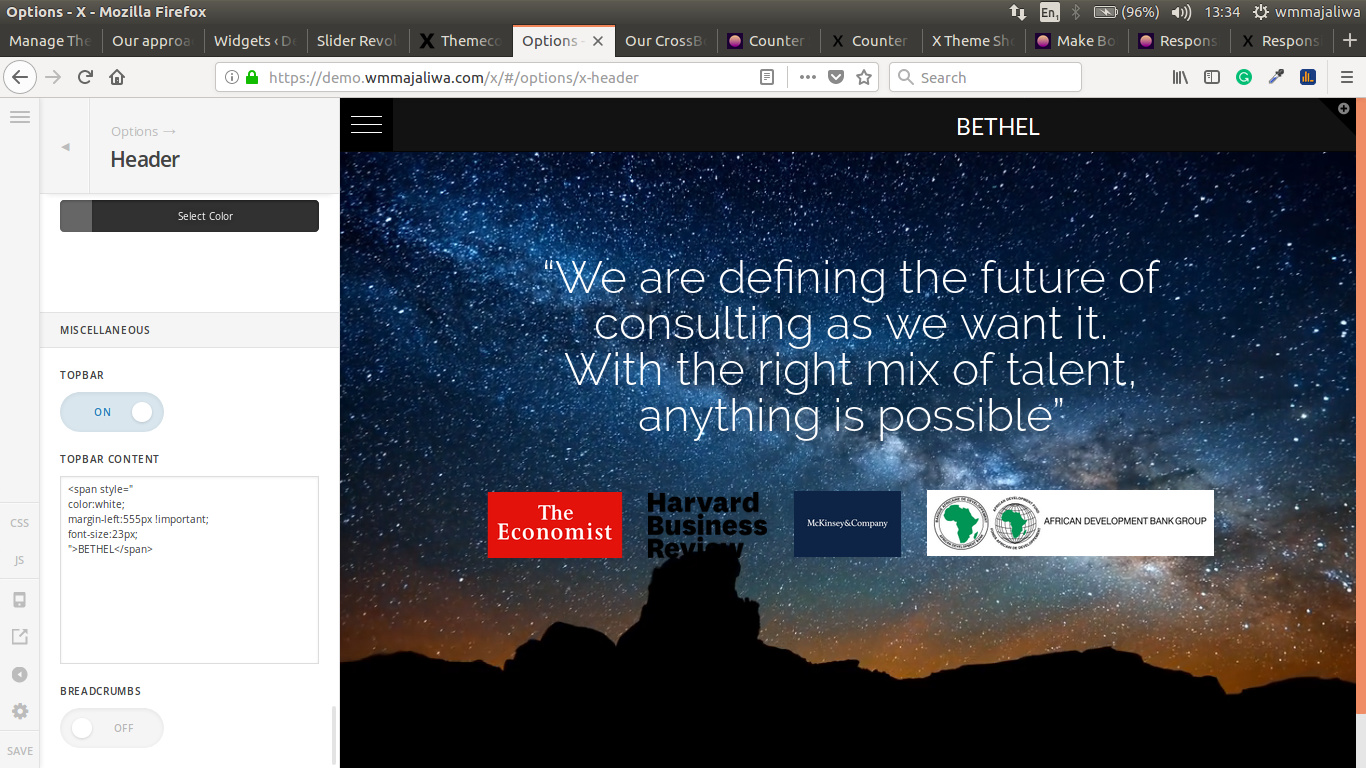
Thank you
Hi, Themeco
How do I go about making the content in my topBar centered for all devices?
This content
Thank you
Hi There,
Thanks for writing in!
Please add this CSS to your theme option -> Global CSS
.x-topbar .p-info {
width: 100%;
}
.x-topbar .p-info  span {
 display: block;
text-align: center;
}
Please remove the inline margin (margin-left: 555px !important;) that you have in the span code.
Hope this helps!
Thanks
Basanta, my man. You rock
Works like a charm
Thank you
Hi, Basanta
Why is it not working on chrome desktop?
It does on chrome mobile, opera, and firefox
Hi There,
Thanks for writing in!
Can you please update the css.
.x-topbar .p-info {
width: 100%;
text-align: center;
}
.x-topbar .p-info  span {
 display: block;
text-align: center;
}
Hope this helps!
Yes
That is the one
Thank you Basanta
On behalf of my colleague @basanta you are most welcome. In case you have any further questions please open a new thread and we will be very happy to assist you.
If you would like to learn CSS, I am sharing few resources that you take a look to get started with CSS and an interesting tool that you can use to speed up the development process.
I recommend you to watch following video that will help you to get started with CSS.
Sometimes it can get a bit difficult to find out the right selector to be able to write the required CSS codes. A handy tool that can help you in this is Google Chrome dev tools. I am sharing the resource that you can refer to get started with dev tools.
https://developers.google.com/web/tools/chrome-devtools/css/
Thanks.
This topic was automatically closed 10 days after the last reply. New replies are no longer allowed.