Hi,
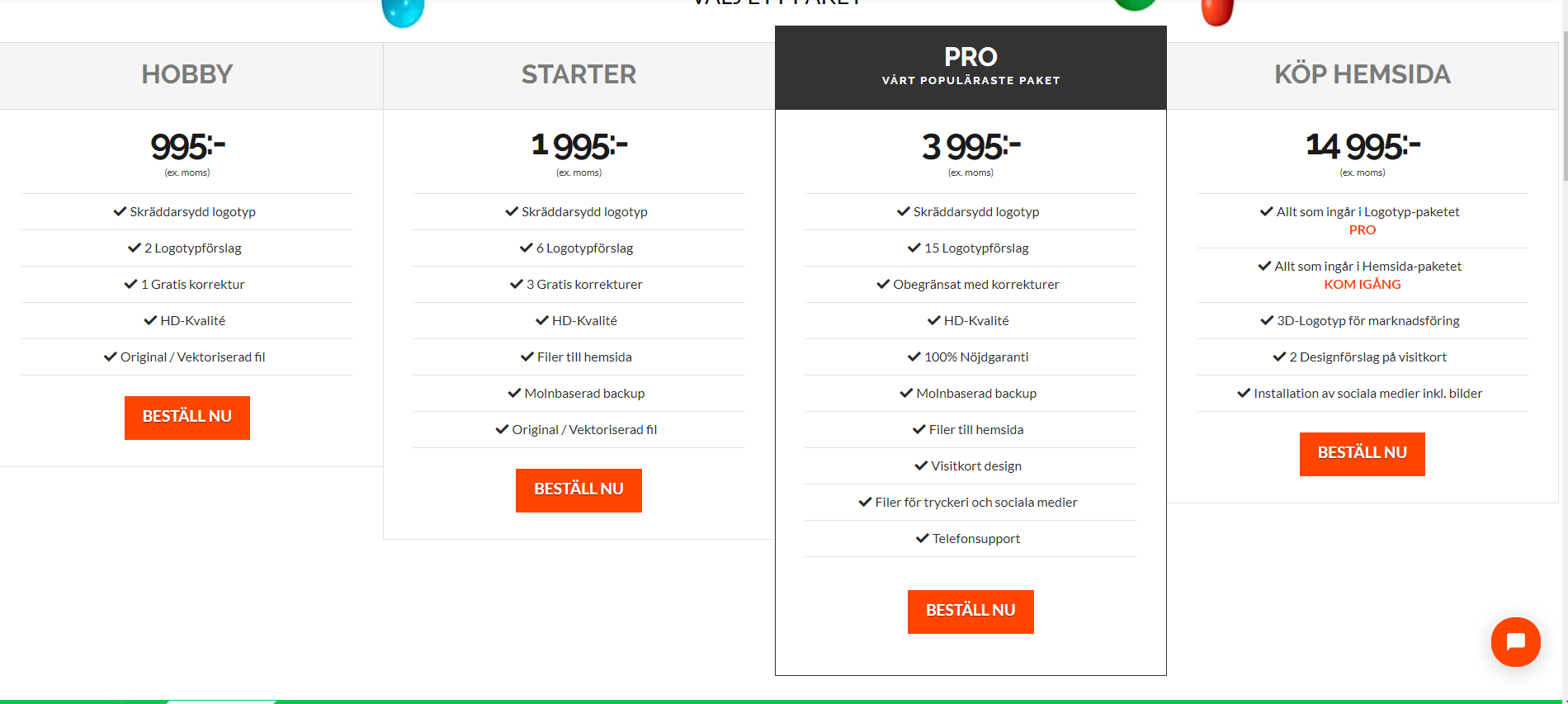
Is it possible to make the Check/bock above eachother in a straight line instead of zig-zag?
Thanks for everything,
Max
Hi,
Is it possible to make the Check/bock above eachother in a straight line instead of zig-zag?
Thanks for everything,
Max
Hey Max,
The column content items are aligned center by default. To change its alignment, please add this code in X > Theme Options > CSS:

.x-pricing-column {
    text-align: left;
}
Hope this helps.
Thanks for your reply!
The bocks are in-line but the rest seems to join them. Is it possible to only make this apppear on the bocks and not header/price?
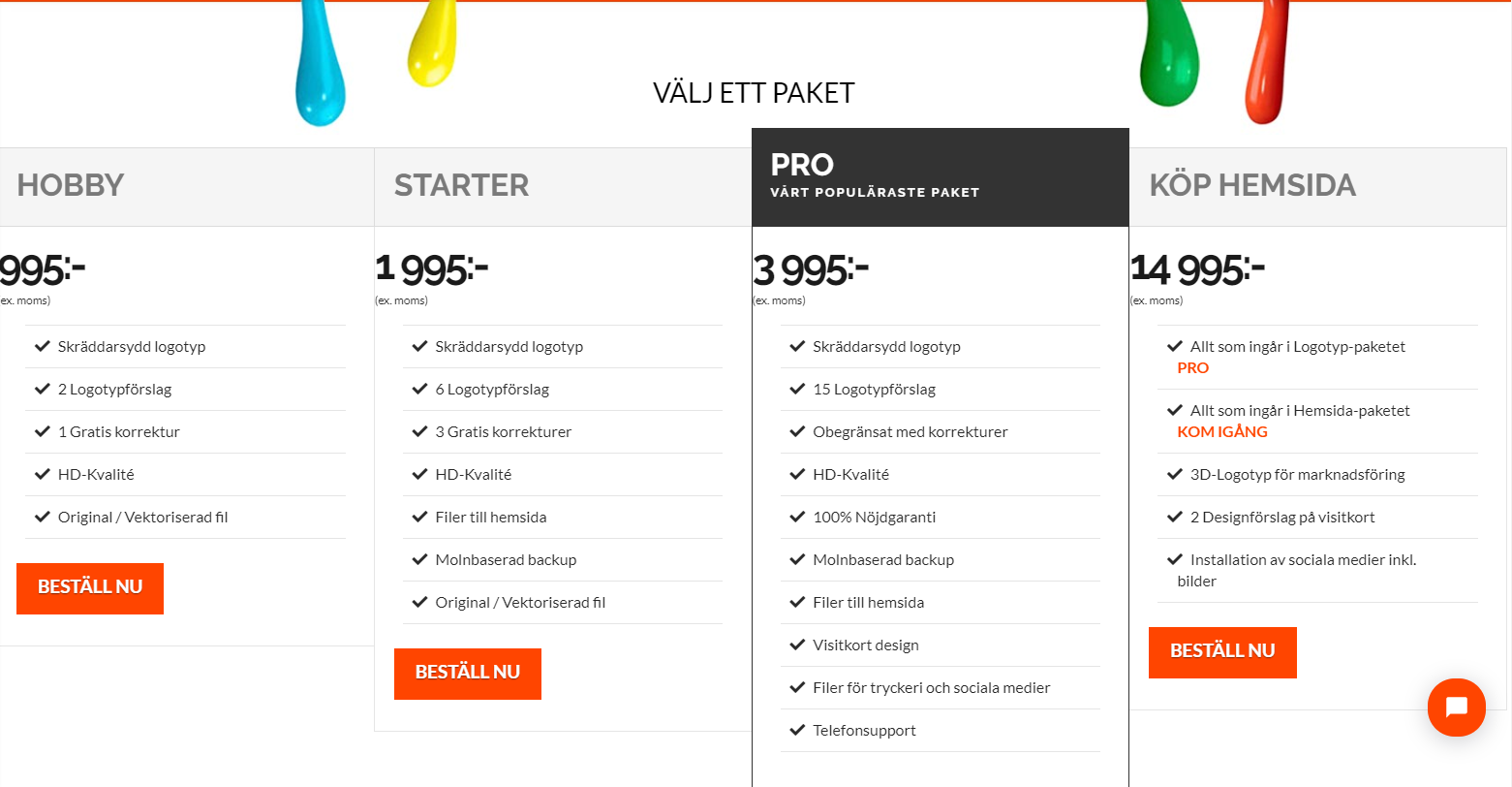
I also wondering if it’s possible to make the orange text under the rightmost centre? “PRO” and “KOM IGÅNG”
I’d would like to only make the bocks centre not everything in the pricing table, hope you understand.
All the best,
Max
Hey Max,
In that case, please try:
.x-pricing-column-info ul {
    text-align: left;
}
Here are some related links for further reading:
Hope this helps.
Thank you, that helped to align the bocks but not to center everything again. I got totally ZERO knowledge about CSS and this is something that has priority for us, it’s the landingpage more or less.

If you could help me with this last thing during this topic, I would be very greatful!
Futher on I will try to get myself more into CSS.
All the best,
Max
Hi Max,
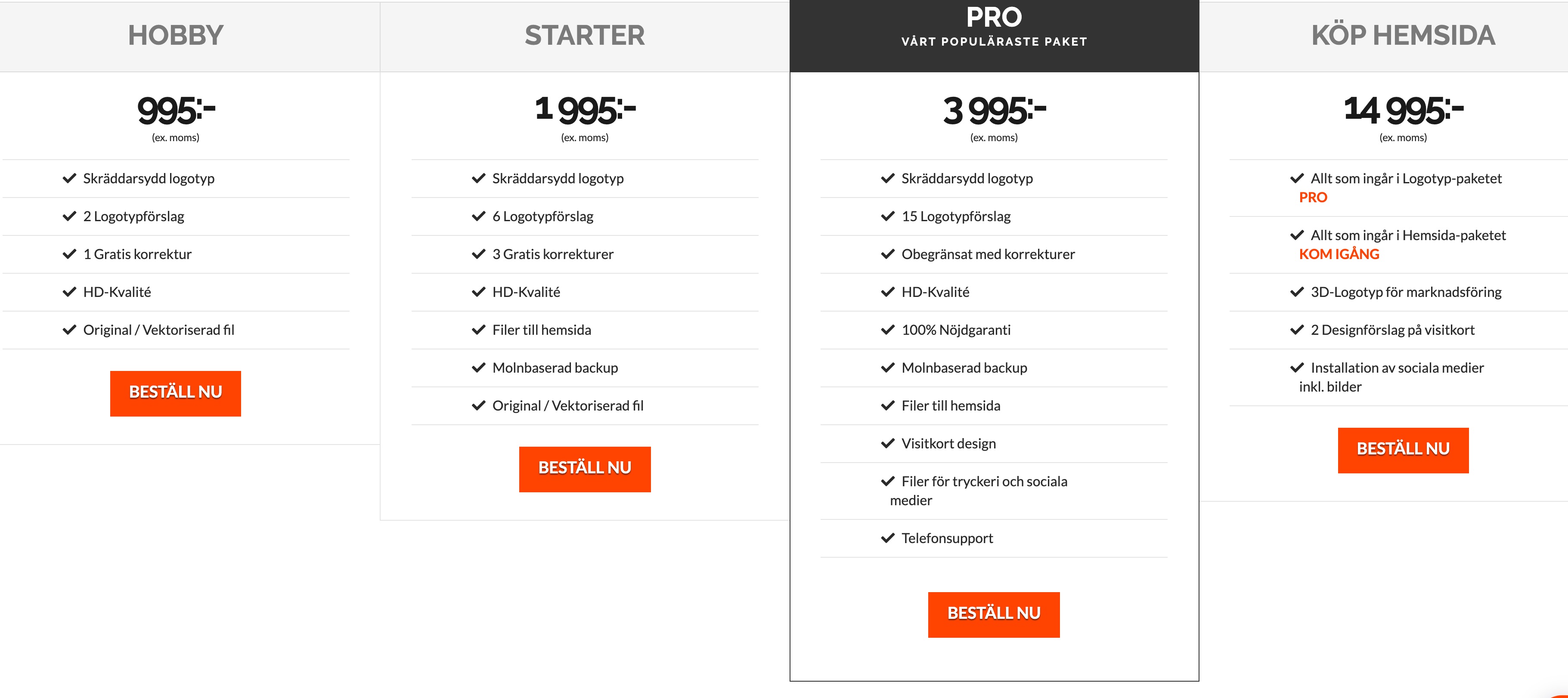
By centering everything, do you mean you want the list item to get closer to the middle area in each pricing table?
If so, you can increase the left and right padding of each icon list by this CSS:
.x-pricing-column-info ul li {
    padding-left: 20%;
    padding-right: 20%;
}
If you add the previous CSS code I have suggested and the code above, the result should be this:
Hope this helps.
This topic was automatically closed 10 days after the last reply. New replies are no longer allowed.